
It’s Friday afternoon. One customer still hasn’t paid the draw request. A supplier wants money today. Payroll is Monday. Your project manager says a job is “going fine,” which usually means nobody has looked at the numbers closely enough to know if that’s true.
This describes the nature of bookkeeping for construction companies.
Most contractors don’t fail because they can’t build. They fail because the books are late, the job costs are sloppy, retainage gets buried, payroll turns into a compliance mess, and taxes show up like an unwelcome inspector with a flashlight. I’ve seen profitable-looking contractors bleed cash, underbid work, and lose sleep because their accounting system was built like a backyard shed.
Generic bookkeeping doesn’t cut it in construction. You need books that tell you what each job is doing, what cash is available, what the IRS will care about, and whether you can take on the next project without creating a slow-motion disaster. If you’re in Jacksonville or anywhere in Northeast Florida, that matters even more. Growth is good, but fast growth with bad books is just expensive confusion.
Why Your Books Are Your Most Important Tool
It’s 6:15 p.m. on a Thursday. Your superintendent says the job is on track. Your bank balance says otherwise. The owner wants an updated draw package, your insurance agent is asking for clean financials before renewal, and your CPA is trying to figure out whether that “profit” on the P&L is real or just a timing mess.
That is what your books are for.

Owners who treat bookkeeping like back-office clutter usually pay for it twice. First in bad decisions. Then in cleanup, penalties, missed tax filings, weak bonding support, and ugly surprises when a job that looked fine turns out to be bleeding margin.
I see this all the time with good contractors. They can run crews, keep subs moving, and solve field problems before breakfast. Then I ask for current job profitability, underbillings, retainage receivable, or accrued payroll, and the room gets quiet. A stack of receipts and a bank app are not a financial system. They are evidence.
Clean books do more than keep the tax return on schedule. They help you stay compliant and profitable at the same time. In Florida, that connection matters. Fast growth, storm-related work, heavy subcontractor use, sales tax questions, and payroll reporting problems can put a contractor in a ditch fast if the books are sloppy.
Here’s the plain truth. Your books are the control center for the business. They tell you whether a job is making money, whether cash is already spoken for, whether your financial statements will hold up under lender or bonding scrutiny, and whether an auditor is going to find a mess.
A bookkeeping system that helps you run a construction company should answer questions like these without drama:
- Which jobs are producing profit right now: Not which jobs feel busy. Which ones are earning.
- Where cash is already committed: Payroll, taxes, vendor balances, loan payments, retainage, and deposits all matter.
- Whether your numbers are bond-ready and lender-ready: Sureties and banks do not reward guesswork.
- What compliance problems are forming: Payroll filings, 1099 issues, sales tax treatment, and bad revenue timing get expensive fast.
- Whether you can grow without strangling cash flow: More work does not fix bad reporting. It magnifies it.
If your reports show up late, lump costs into junk categories, or need a long explanation every month, fix the system. Start with a construction-specific setup in QuickBooks and follow practical QuickBooks tips for cleaner bookkeeping workflows.
Good books protect margin. They also protect the company. Ignore that, and the business starts running you instead of the other way around.
Building Your Financial Blueprint in QuickBooks
QuickBooks can work for a construction company. QuickBooks set up like a generic service business usually doesn’t.
That distinction matters. I’ve opened plenty of files where every job cost is dumped into one giant expense bucket, customer deposits are mixed with revenue, and subcontractors, labor, permits, and materials all live in accounting purgatory under “miscellaneous expense.” If your file looks like that, QuickBooks isn’t the problem. The setup is.
Start with a chart of accounts built for construction
Your Chart of Accounts needs to reflect how construction work happens. Not how a coffee shop runs. Not how a consultant bills.
A useful setup usually separates direct project costs from overhead. That gives you a fighting chance at seeing true gross profit by job.
A simple example looks like this:
| Account type | Example accounts | Why it matters |
|---|---|---|
| Income | Contract revenue, change order revenue, retainage receivable clearing | Keeps billing categories clean |
| Cost of goods sold | Direct labor, payroll taxes on field labor, materials, subcontractors, equipment rental, permits | Shows true project cost |
| Overhead | Office rent, admin payroll, software, insurance admin portion, utilities | Prevents overhead from polluting job margins |
| Other current assets | WIP-related accounts, retainage receivable, prepaid items | Keeps the balance sheet honest |
| Liabilities | Customer deposits, sales tax payable, payroll liabilities, loan balances | Avoids fake revenue and missed obligations |
Don’t overcomplicate account numbers, but do use structure. A contractor needs categories that support job costing, WIP reporting, and tax prep without a cleanup project every quarter.
Set up customers and jobs the right way
A job should never be “just a customer.” In bookkeeping for construction companies, each project needs its own identity.
That means:
- Create the customer
- Create the job or project under that customer
- Use consistent job names
- Assign all related income and costs to that job
- Train your team to use the same coding every time
If your office manager enters bills one way, your PM enters receipts another way, and payroll gets posted somewhere else entirely, your reports will lie to you with a straight face.
Use classes, items, and cost codes with intention
QuickBooks gives you enough flexibility to help or hurt yourself.
Use items and service codes for billable components. Use classes or locations only if they support reporting needs. Don’t build a maze nobody will maintain. A clean system that your team uses beats a fancy one everybody ignores by the second month.
A bad accounting file doesn’t fail all at once. It fails slowly, then all at year-end.
For owners who want better file structure and reporting discipline, these QuickBooks tips and tricks are a useful place to start.
Don’t let tax law changes catch you flat-footed
Tax compliance for contractors shifts with project mix, entity structure, payroll obligations, and the way revenue gets recognized. That’s why your bookkeeping setup has to support tax reporting from day one.
Pay attention to:
- Sales and use tax treatment: Materials and equipment purchases need consistent handling.
- Payroll tax tracking: Especially if you run multiple crews or public jobs.
- Entity-level reporting: Your books should make tax return prep easier, not harder.
- Documentation for deductions and credits: If the records are vague, the deduction gets weak fast.
Here, a certified QuickBooks ProAdvisor and a CPA save you from expensive cleanup. Good setup is a one-time decision that protects every invoice, every payroll run, and every tax filing that follows.
Track Every Dollar with Job Costing and WIP Reporting
If you’re not doing job costing correctly, you don’t know your numbers. You know your bank balance. Those are not the same thing.
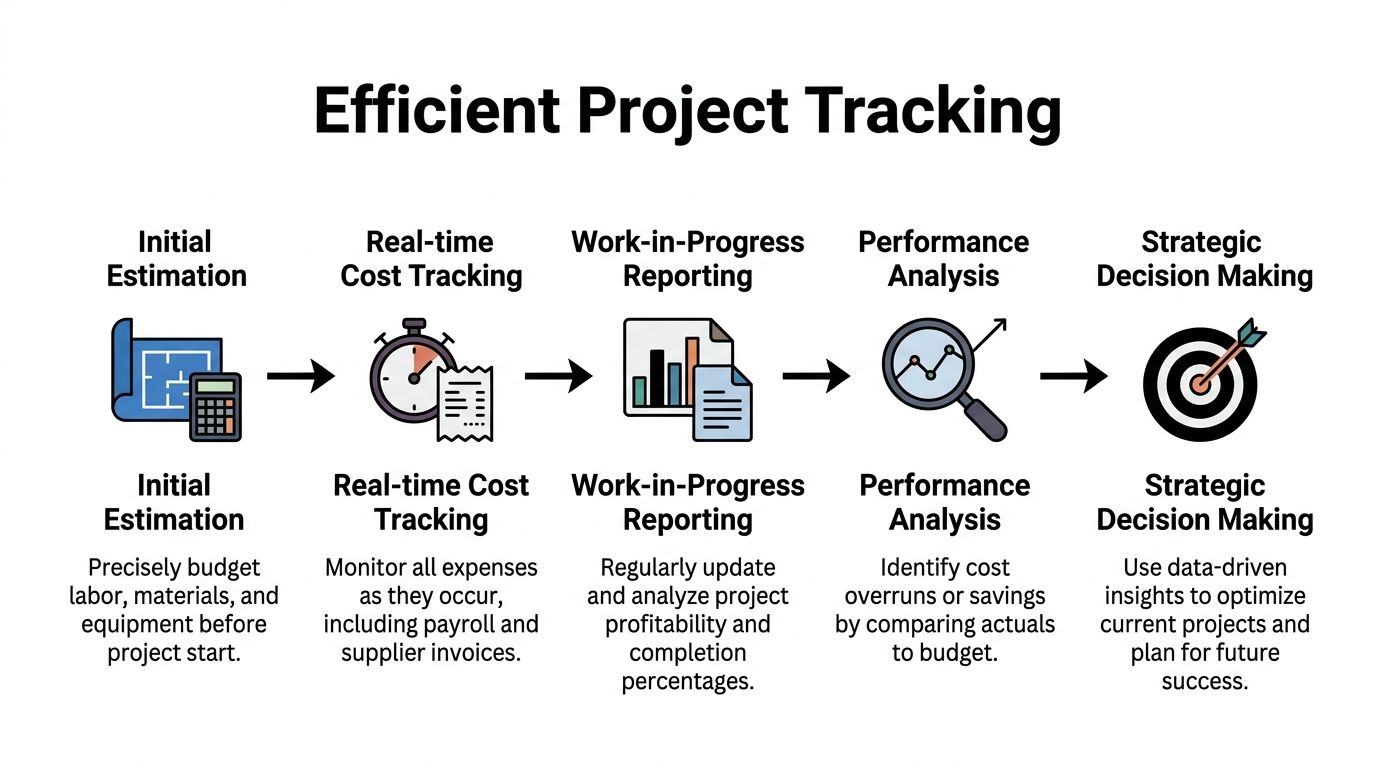
A construction company lives or dies by how well it tracks each job. Not in theory. In detail. Every labor hour, every supplier bill, every dumpster charge, every subcontractor invoice, every permit, every piece of rented equipment. If a cost belongs to a job, it needs to land on that job.
What job costing should look like in practice
The cleanest workflow is boring. That’s a compliment.
A proper process generally works like this:
- Assign a unique job number as soon as the contract is signed.
- Break the job into phases such as demo, site prep, framing, electrical, plumbing, finishes, punch.
- Code cost categories for labor, materials, subcontractors, equipment, permits, and approved indirect job costs.
- Post costs in real time instead of waiting until month-end when nobody remembers what belongs where.
- Compare actual costs to estimate on a regular cadence.
- Review gross profit drift before the job is too far gone to fix.
Take a kitchen remodel. Cabinets hit one line. Demo labor hits another. Electrical subcontractor work gets its own code. If your superintendent grabs materials from the supply house, that receipt needs to reach the office and get assigned to the right project fast. If you leave those details floating around for three weeks, the estimate-to-actual comparison is already stale.
If your field team struggles with document collection, a simple tool like a receipt maker app can help standardize receipt records before they disappear into glove boxes and shirt pockets.
Manual tracking creates expensive fiction
Contractors love spreadsheets until the spreadsheet starts lying.
According to Deltek, firms that implement automated job costing see 20-30% improved profit margins through early detection of cost overruns. The same source says manual job costing methods have a 40% failure rate due to miscategorization, and lumping project and overhead costs together is responsible for 25% of underbidding errors (Deltek on construction bookkeeping and job costing).
That underbidding point is the killer. If you keep charging overhead to jobs inconsistently, your historical data becomes junk. Then you estimate new work using junk. Then you win bids that never had a chance of being profitable.
Your estimate is only as smart as the last ten jobs you coded correctly.
WIP reporting tells you where the job really stands
A Work in Progress report is one of the few reports in construction that can stop bad decisions before they get expensive.
It helps you compare what’s been earned, what’s been billed, what’s been spent, and whether you’re overbilled or underbilled. It also helps support percentage-of-completion reporting when that method applies.
Here’s what a WIP review should flag:
- Underbilled jobs: You’ve done the work but haven’t invoiced enough. That’s a cash flow problem.
- Overbilled jobs: Useful for cash in the short term, but it can hide weak margins if nobody watches the production side.
- Margin fade: The gross profit keeps shrinking as the job moves forward.
- Estimate failure: Actual labor or material use is drifting away from the original assumptions.
For contractors looking to tighten these reports, this guide on construction job costing software can help connect the accounting side to the daily production side.
The owner’s review should be short and ruthless
You don’t need to stare at reports all day. You do need to ask better questions.
Use a weekly or biweekly review and ask:
| Question | Why it matters |
|---|---|
| Which jobs lost margin this period? | Finds trouble early |
| What costs were posted late? | Late data causes false confidence |
| Are approved change orders included? | Missed billing wrecks profit |
| Are there jobs with odd overbilling or underbilling positions? | Cash and revenue timing need attention |
| Which PM or estimator keeps producing bad variance? | The issue may be operational, not accounting |
Job costing isn’t clerical work. It’s operational truth.
Navigating Progress Billing Retainage and Change Orders
Friday afternoon. You think a job is profitable because the invoice total looks strong. Then your banker asks for clean receivables aging, your bonding agent wants current numbers, and half that “money” is tied up in retainage and unapproved change orders.
That is how contractors fool themselves.
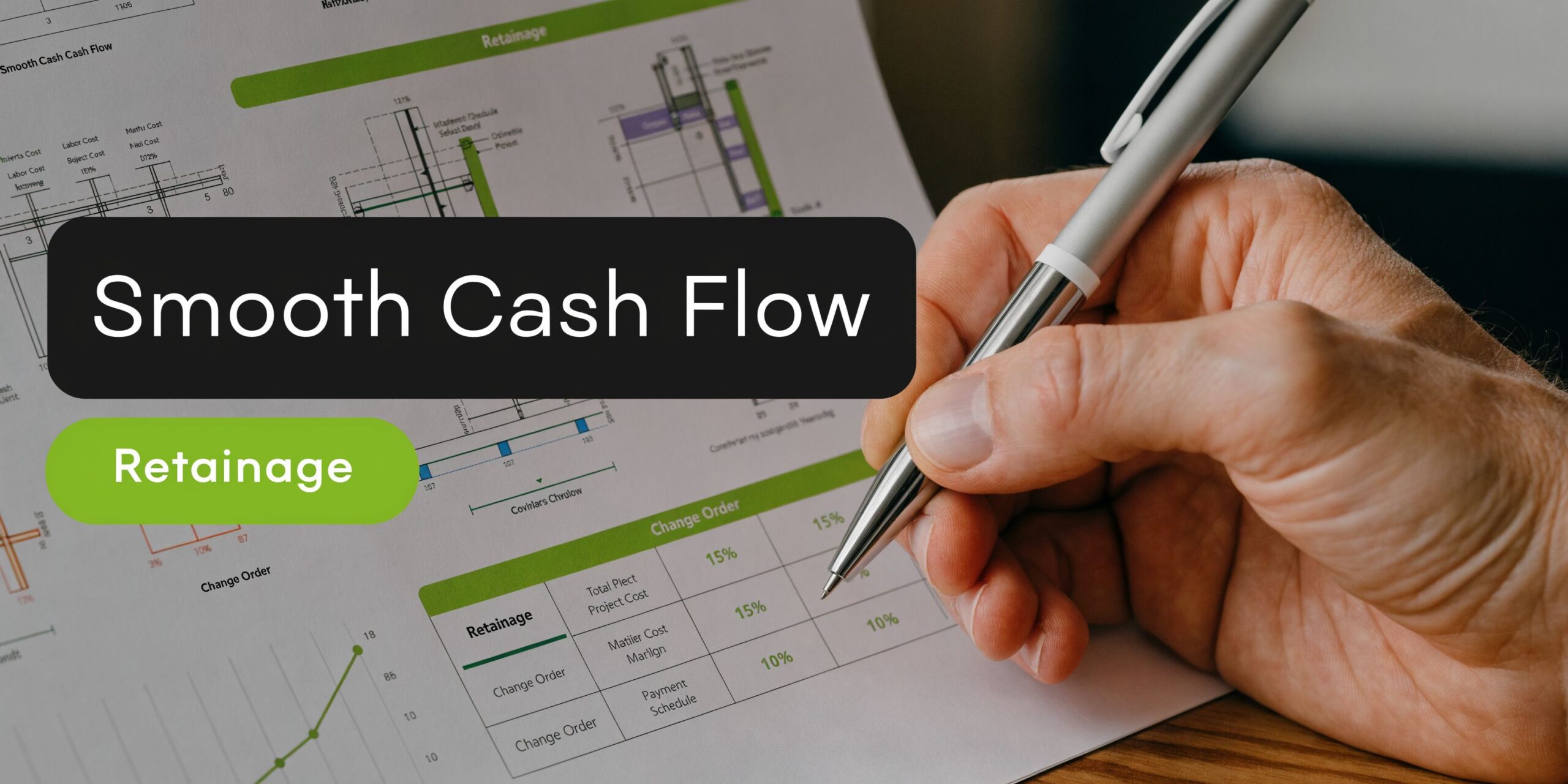
Progress billing, retainage, and change orders are not side paperwork. They control cash, compliance, and whether your reported profit means anything. In Florida, where jobs move fast and payment disputes can drag on, sloppy billing records can choke cash flow and hand an auditor, surety, or lender a reason to doubt your numbers.
Progress billing has to match the field
Progress billing works only when accounting, project management, and field production are looking at the same job. If the schedule of values is outdated or the percent complete is based on guesswork, your invoice is just a polite fiction.
That creates three problems at once:
- Collections slow down because the owner questions the draw
- Revenue reporting gets messy because billings do not line up with actual production
- Cash planning gets dangerous because management starts spending money that has not really been earned or approved
Use current job data for every draw. Tie each billing to the schedule of values, updated quantities, and approved work status. If the field team submits updates late, fix that process fast. A late billing package is an expensive habit.
Retainage belongs on its own line, not in a foggy A/R balance
Retainage is contract money you have earned but cannot use yet. Treating it like normal receivables is how contractors end up “profitable” on paper and short on cash in practice. As noted earlier in the article, retainage can swallow a painful share of job profit. That is why separate tracking matters. Keep it by project, by customer, and by expected release date. Reconcile it monthly. Then assign somebody to chase it like it matters, because it does.
If your books lump retainage into ordinary A/R, you will miss release deadlines, closeout requirements, and lien waiver issues. Then the same company that worked for the money has to beg for it.
Use a process like this:
| Item | What to do |
|---|---|
| Current billings | Record as standard accounts receivable |
| Retainage withheld | Record in a separate retainage receivable account |
| Release terms | Track contractual release dates and closeout conditions |
| Follow-up | Review outstanding retainage every month, not at year-end |
That separation helps with more than collections. It gives lenders, bonding companies, and tax preparers a cleaner view of what is collectible now versus what is still trapped in the contract.
Change orders need paperwork before they become payroll
A verbal approval is worth about as much as a wet cardboard toolbox.
Crews do extra work. PMs mean well. Owners nod in a trailer meeting. Then nobody prices the change correctly, nobody gets a signed approval, and accounting finds out after payroll has already hit the job. Now you have cost on the books, no clean billing support, and a margin report that looks worse than the job really is.
Set a hard rule. Extra work gets documented, priced, approved, and coded before it gets billed. If production has to move first because of safety, schedule, or site conditions, tag that cost immediately as pending or disputed so it does not disappear into base contract revenue.
Use this workflow every time
- Write up the scope change immediately
- Price labor, materials, subcontractors, equipment, and time impact
- Get written approval or document disputed status clearly
- Update the job budget and contract value
- Bill the change in the next cycle
- Track collections and retention on change orders separately when needed
That process protects profit and supports compliance. Public work adds another layer because billing, labor records, and contract changes have to line up. If your company handles government jobs, review these certified payroll reporting requirements and make sure your billing records match your payroll support.
Here’s the plain-English version:
| Issue | Bad habit | Correct treatment |
|---|---|---|
| Progress billing | Billing from memory | Bill from current field data and the schedule of values |
| Retainage | Mixing it into normal A/R | Track separately by project and release date |
| Change orders | Doing work first and documenting later | Price, approve, code, then bill |
| Disputed extras | Hoping the owner pays later | Flag separately and monitor until resolved |
Software helps, but only if the workflow is disciplined. If your current setup cannot connect billing, approvals, and labor cleanly, compare tools built for contractors and payroll-heavy shops, including the best payroll software for small businesses.
A short video can help clarify how these moving parts affect project cash flow and reporting.
Florida contractors need tighter follow-up than they think. Fast growth, storm-related work, subcontractor turnover, and aggressive draw schedules create plenty of chances for bad records to become expensive problems. Clean bookkeeping keeps billing accurate, protects margins, supports bonding, and gives you a defensible file when payment disputes or audits show up.
A Contractor's Guide to Payroll and 1099s
Payroll is where a lot of construction companies get themselves in trouble without realizing it. They think they’re saving money by keeping it simple. Then a filing gets missed, a worker gets classified wrong, or a public project requires reporting they’ve never handled before.
That’s when “simple” gets expensive.
Payroll in construction isn’t ordinary payroll
Construction payroll has moving parts that other industries don’t deal with as often. Crew hours move by job. Rates can vary. Public work can trigger certified payroll requirements. Some contractors work across multiple jurisdictions and discover too late that tax and reporting rules don’t care about excuses.
If your payroll process is built around “we’ll clean it up later,” you’re asking for penalties, amended filings, and bad job cost data.
A decent system needs to do all of this consistently:
- Track hours by job and phase
- Separate field labor from admin payroll
- Post employer payroll costs correctly
- Support prevailing wage and public project reporting when required
- Keep payroll tax filings aligned with the books
If you’re comparing tools, this overview of the best payroll software for small businesses can help narrow the field before you hand payroll to the wrong platform.
Certified payroll is a compliance test
Government work often brings tighter labor reporting. That means you’re not just paying people. You’re documenting classifications, hours, rates, and payroll details in a format that can withstand review.
For contractors dealing with public jobs, these certified payroll reporting requirements are worth reviewing carefully.
Miss one element and you don’t just get an accounting headache. You can delay payment, trigger agency issues, or create a labor compliance mess that swallows management time.
The IRS and labor agencies don’t grade on effort. They grade on records.
1099s are not a shortcut around payroll
Some owners use subcontractors properly. Some use “subcontractor” as a label for anybody they don’t want on payroll. Those are not the same thing.
If the worker functions like an employee, you’ve got risk. If you don’t collect the proper documentation up front, you’ve got more risk. If year-end arrives and you’re scrambling to figure out who got paid what, you’ve already lost control of the process.
A sound subcontractor workflow includes:
- Collect the required vendor documentation before payment
- Verify how the worker relationship is structured
- Code payments consistently through the accounting system
- Review vendor lists before year-end
- Issue 1099s accurately and on time
What owners usually get wrong
The mistakes are repetitive.
| Problem | What happens next |
|---|---|
| Paying people off inconsistent records | Job costs become unreliable |
| Treating labor casually | Payroll filings stop matching books |
| Ignoring public-job reporting requirements | Payments and compliance issues pile up |
| Waiting until January to think about 1099s | Year-end turns into a scavenger hunt |
This is one area where professional oversight is not a luxury. It’s insurance against fines, rework, and ugly conversations with agencies that don’t care that your office was busy.
If you want clean books, you need clean payroll data. If you want clean payroll data, stop trying to run construction payroll like a side task between site visits.
Beyond the Basics Internal Controls and Strategic Growth
A Jacksonville contractor lands three bigger jobs, sees more money hitting the bank, and assumes the business is finally humming. Then one job starts bleeding labor, retainage drags collections, a project manager approves a bill twice, and the surety asks for reports nobody can explain. Revenue went up. Control went down.
That is how construction companies get in trouble. Not from one giant disaster. From sloppy approvals, weak reporting, and books that record history but do not control the business.

Monthly close is where owners get the truth
If your month-end process consists of glancing at the bank balance and printing a profit and loss statement, you are not managing. You are guessing.
Construction bookkeeping needs a monthly close that catches errors, supports tax filings, and shows whether jobs are making money before the damage gets worse. In Florida, that matters even more. Sales tax issues, payroll exposure, and licensing-related financial scrutiny have a way of showing up at the worst possible time.
A proper monthly close should include:
- Reconcile every bank account and credit card account: Every month, every time.
- Review job cost detail: Find missing costs, duplicate entries, and costs parked in the wrong job.
- Separate regular receivables from retainage and disputed balances: If you mix them together, your cash forecast is fiction.
- Review unpaid bills and accrued expenses: Especially costs incurred before month-end that have not hit the books yet.
- Tie payroll reports to the general ledger: If they do not match, your financial statements are wrong.
- Review WIP, overbillings, and underbillings: Those balances affect profitability, cash planning, and bonding conversations.
- Verify sales tax and payroll tax balances: If the return says one thing and the books say another, fix it now.
- Review debt, equipment notes, and owner distributions: Messy balance sheets kill financing options fast.
A disciplined close does two jobs at once. It keeps you compliant, and it tells you whether growth is profitable.
Internal controls stop expensive stupidity
Internal controls are not corporate theater. They are the rules that keep one bad decision, one careless employee, or one rushed payment run from wrecking your margins.
Most contractors do not need a giant accounting department. They need basic separation of duties, clear approval authority, and someone reviewing the numbers who is not the same person entering them.
Here is what works:
| Control | Why it matters |
|---|---|
| One person enters bills and another approves payment | Cuts down on duplicate payments, fake vendors, and lazy mistakes |
| Project managers review job costs before close | Catches coding errors while they can still be fixed |
| Owners review bank activity and large disbursements | Adds oversight where theft and error usually hide |
| User access in QuickBooks is limited by role | Keeps staff from changing payroll, prior periods, or closed transactions |
| Change orders and write-offs require documented approval | Stops margin erosion disguised as “field adjustments” |
This is the part generic bookkeeping guides miss. Controls are not just about fraud. They protect gross profit, support clean tax filings, and give bankers and sureties confidence that your numbers mean something.
One local firm contractors use for this kind of support is Bookkeeping and Accounting of Florida Inc., which handles bookkeeping, payroll, tax preparation, audits, QuickBooks support, and fractional CFO services for growing businesses.
Tax strategy starts with clean books
Contractors love to talk about tax savings in December, right when it is too late to fix the records.
Tax planning only works when the books are structured correctly all year. If costs are dumped into vague expense accounts, if equipment purchases are posted inconsistently, or if project-specific expenses are buried in miscoded transactions, your CPA has fewer options. You also have weaker support if the IRS or Florida Department of Revenue comes asking questions.
Analysts at SVA note that construction companies often miss tax opportunities because their accounting structure does not track costs clearly enough to support them (SVA on construction accounting practices and sustainability tracking). That same problem creates audit risk. Bad categorization hurts on both sides. You miss deductions, and you struggle to defend the numbers you did claim.
Clean books create options. Messy books create explanations.
Strategic growth requires CFO-level review
Plenty of contractors hit a ceiling because nobody is translating the accounting into decisions. The bookkeeping may be accurate. The business still stalls because no one is asking the hard questions soon enough.
A serious monthly or quarterly review should answer questions like these:
- Which job types produce your best margins after overhead
- Whether you can afford another superintendent, estimator, or office hire
- How much working capital growth will require
- Whether current financial reporting can support bonding or bank financing
- Which customer or project patterns create the most collection risk
- What needs to happen before year-end to reduce tax problems and preserve cash
That is what strategic bookkeeping looks like in construction. It is a control center for compliance, profitability, and growth. If your books cannot help you avoid audits, support bonding, and make better bidding and hiring decisions, they are incomplete.
When DIY Bookkeeping Costs More Than a CPA
A lot of owners try to do this themselves longer than necessary. I understand why. You built the business by being resourceful. You don’t want overhead for overhead’s sake. You think, “I can handle the books at night or on the weekend.”
That works until it doesn’t.
DIY bookkeeping usually breaks down in construction for one reason. The accounting gets more complex at the exact moment the owner has less time to manage it. More jobs mean more invoices, more receipts, more payroll issues, more subcontractor paperwork, more tax exposure, and more room for bad data. That’s when the wheels start wobbling.
Red flags that your current system is costing you money
If any of these sound familiar, your bookkeeping isn’t just inconvenient. It’s holding the business back.
- You can’t tell which jobs are profitable until they’re nearly over
- You get surprised by tax bills
- Your banker or surety asks for reports you can’t produce quickly
- Payroll and 1099 season feel like a fire drill
- You keep doing data entry instead of bidding work or managing crews
- Your CPA has to clean up your books every year before filing anything
- Change orders, retainage, and draw schedules don’t reconcile cleanly
- You’ve grown, but your systems still look like you’re running two trucks and a trailer
That last one is common. A lot of companies outgrow the accounting habits that worked when the owner personally touched every invoice. Then they keep using those habits anyway.
Bad books create expensive decisions
Here’s what poor bookkeeping usually costs, even before penalties enter the picture:
| Weak system | Real-world result |
|---|---|
| Late or inaccurate job costing | Underbidding and margin erosion |
| Weak payroll process | Compliance risk and bad labor data |
| Poor close process | Decisions based on stale numbers |
| Missing documentation | Harder tax prep and weaker audit defense |
| No strategic review | Growth that strains cash and operations |
The cost of a CPA or outsourced accounting team is visible. The cost of weak books is usually hidden until it becomes painful. Missed deductions. Lost margin. Delayed collections. Financing problems. Cleanup fees. Stress. Owner burnout.
Straight answer from a CPA
If you’re running a small operation with a handful of straightforward jobs, you might keep basic records yourself for a while. But if you have multiple active projects, progress billing, subcontractors, payroll complexity, tax questions, or growth plans, professional help stops being optional.
You need somebody handling the books. You need somebody watching compliance. And you need somebody giving you financial guidance that goes beyond “your bank account is lower than last week.”
That’s why so many construction companies eventually need more than bookkeeping. They need accounting, payroll support, tax planning, and fractional CFO guidance under one roof so the numbers connect.
The right advisor doesn’t just categorize transactions. They help you stay compliant, protect margins, improve reporting, prepare for tax law changes, and make better business decisions before the damage is done.
If your construction company is tired of flying blind, Bookkeeping and Accounting of Florida Inc. can help you clean up the books, tighten compliance, improve reporting, and get the kind of financial guidance that supports growth instead of chaos. For contractors in Jacksonville and across Northeast Florida, that means construction-focused bookkeeping, payroll support, tax preparation, QuickBooks setup, and fractional CFO insight built around how your business runs.