
You’re probably reading this with unpaid invoices sitting in your inbox, a few customer texts you haven’t answered yet, and a knot in your stomach about tax season. One client says the bill got lost. Another says they mailed a check. Meanwhile your bookkeeper, office manager, spouse, or unlucky favorite employee is trying to figure out which payments match which jobs.
That setup isn’t “how small business works.” It’s a cash flow leak.
I’ve seen this all over Jacksonville. Contractors billing from the truck. Clinic owners trying to keep patient payments and reporting straight. Nonprofit leaders juggling donor records, grants, and bills in three different systems that don’t talk to each other. Then December hits, and everybody acts surprised that the books are messy.
Invoice software for small business fixes the first layer of the problem. It gets bills out on time, gives customers an easier way to pay, and stops the scavenger hunt for records. But software alone won’t save you if the setup is sloppy. A bad workflow in a shiny app is still a bad workflow.
Why Your Shoebox of Invoices Is Costing You a Fortune
A shoebox used to be a joke. Now it’s a business model for too many owners.
You’ve got paper invoices in the truck, emailed PDFs in one folder, text-message approvals on your phone, and credit card payments hitting a processor that never quite matches the deposit in your bank feed. Then someone asks a simple question like, “Has this customer paid?” and everybody goes quiet.
That silence is expensive.
Manual billing creates three problems fast
First, you wait too long to send invoices. If you don’t bill promptly, you train customers to pay slowly.
Second, you waste time chasing money. You become a collections department instead of a business owner.
Third, your records turn into a tax and compliance mess. Revenue gets posted late, expenses don’t line up, and year-end cleanup costs more than it should.
Practical rule: If you have to search your email, phone, and desk to confirm one invoice, your billing process is broken.
A lot of owners think the answer is “be more organized.” No. The answer is to stop relying on memory and scattered documents. You need a system that creates the invoice, sends it, tracks it, records the payment, and keeps the books clean.
The real cost isn’t just time
Messy invoicing hurts your business in ways owners often miss:
- Cash flow gets unpredictable: You can’t plan payroll, materials, or taxes when collections are random.
- Customer disputes get harder: If the invoice, estimate, and payment trail don’t match, you look disorganized even when you did the work.
- Tax prep turns ugly: Missing support and late postings make compliance harder than it needs to be.
- Decision-making gets worse: You can’t tell which customers, services, or jobs are profitable.
If your receivables process is already creaking, tighten that up too. These accounts receivable best practices are a good reality check.
Invoice software is the cleanup crew for billing chaos. But only if it’s built around how your business operates, not how a software demo says it should.
Beyond Billing The True Role of Invoice Software
Most owners think invoice software is just a nicer way to send a bill. That’s too small.
Invoice software for small business is your financial central nervous system. It connects the sale, the invoice, the payment, and the accounting record. That’s the difference between running a company and babysitting paperwork.
In 2025, 71% of small business owners globally use accounting software or apps to manage their finances, and 68% still enter invoice data manually into ERP or accounting systems, which tells you two things at once: adoption is mainstream, and bad processes are still everywhere, according to QuickBooks financial literacy statistics.

A template sends a bill. Software manages a process.
A Word doc or PDF template can ask for money. It cannot manage the lifecycle of that transaction.
Real invoice software should handle the chain from start to finish:
- Create the bill from an estimate, project, service, or product sale.
- Send it immediately with clear due dates and payment terms.
- Track status so you know whether the customer viewed, ignored, or paid it.
- Accept payment without making the customer jump through hoops.
- Update the books so accounts receivable, revenue, and cash stay aligned.
That last point matters more than most owners realize. If invoicing lives outside your books, somebody has to re-enter data later. That’s where errors multiply, and that’s how you end up with bad reports.
What good invoice software actually changes
When set up properly, invoice software gives you control over everyday headaches:
- Visibility: You know who owes you, how much, and how overdue they are.
- Consistency: Every invoice looks professional and follows the same terms.
- Speed: Billing happens on schedule instead of “when we get around to it.”
- Audit trail: You can see when invoices were sent, viewed, changed, and paid.
- Cleaner accounting: The billing side and bookkeeping side stop fighting each other.
Good invoice software doesn’t just make you look organized. It forces your business to behave in an organized way.
The compliance angle owners ignore
At this point, the conversation gets less glamorous and more important.
Invoice records support revenue recognition, sales tax handling, documentation for disputes, and clean year-end accounting. With tax law changes, state reporting quirks, and industry-specific requirements, you don’t want billing data floating around in spreadsheets and inboxes.
A clinic has privacy and reporting concerns. A contractor needs job-level detail. A nonprofit needs support that holds up for board reporting and audit work. The invoice itself is only the front end. The data under it is what protects you.
That’s why I’m blunt about this. If you’re still patching together estimates, invoices, receipts, and accounting entries by hand, you don’t have a billing system. You have a recurring accounting emergency.
Key Features That Automate Your Cash Flow
Most software demos show you pretty templates and a friendly dashboard. Fine. That’s not what matters.
The features that matter are the ones that get you paid faster, reduce admin work, and keep your billing from turning into a weekly hostage situation. The average AP department takes 9.2 days to process a single invoice, manual handling costs USD 9.40 per invoice, and teams spend 21.8% of their time on supplier queries. Automation improves collection rates by 30-50%, according to Quadient’s 2025 AP automation benchmarks.

Professional invoices that don’t look homemade
A clean invoice matters. It tells the customer your process is real and your payment expectations are real too.
I’m not saying your client refuses to pay because your old invoice was ugly. I’m saying sloppy billing invites delay. If the invoice is missing details, inconsistent, or hard to read, you create friction.
A good platform gives you:
- Branded templates: Your logo, terms, and contact details stay consistent.
- Clear line items: Customers can see what they’re paying for without calling you.
- Due dates and policies: No confusion, no guessing, fewer excuses.
- Organized numbering: Useful for tracking, disputes, and tax records.
If you’re still in startup mode and need a stopgap before a full accounting setup, tools like simple invoice generator tools can help you move away from improvised documents. Just don’t confuse a simple generator with a full financial system.
Online payments are not optional anymore
If you make customers print, sign, mail, or call to pay, you’re slowing your own cash flow.
Modern invoice software should let customers pay directly from the invoice. Credit card, ACH, digital payment link. One click beats three reminders every time.
Here’s the practical truth. Customers usually don’t delay because they hate you. They delay because paying you isn’t the easiest thing on their screen that day. Remove friction and money moves.
Automated reminders save awkward follow-up calls
Owners love to say, “I don’t want to bug the client.” That’s how invoices age into antiques.
Automated reminders fix this because the system sends them without emotion, embarrassment, or forgetfulness. The process becomes standard instead of personal.
Use reminders for:
- Upcoming due dates: A gentle nudge before the invoice goes late.
- Past-due notices: Immediate follow-up after the due date passes.
- Escalating follow-ups: A firmer message if payment still hasn’t arrived.
If your collection strategy depends on remembering who you need to call on Friday, you don’t have a strategy.
A well-built reminder system also cuts down on “Can you send that again?” and “I never saw it” conversations. The software keeps the trail.
Recurring billing turns repeat work into a process
Monthly retainers, maintenance plans, recurring service agreements, membership fees. These should not require manual billing every cycle.
Recurring invoices are one of the simplest wins in invoice software for small business. Once the profile is set correctly, the system handles timing, amount, and reminders.
That matters for:
- Professional services firms
- IT and managed service providers
- Healthcare practices with recurring arrangements
- Home and field service businesses
- Membership and subscription models
Here’s a useful walkthrough on automation options if you want to see how billing tools fit into broader payables workflows: accounts payable automation tools.
Mobile invoicing helps field teams bill while the work is fresh
Contractors, trades, mobile service providers, and owners who live out of their trucks need billing from the field. Not “when I get back to the office.” That delay kills momentum.
Mobile invoicing lets your team issue bills after the job, capture signatures or approvals, and send payment links on the spot. That shortens the distance between work completed and cash collected.
A quick visual example helps:
My recommendation on features
Don’t buy invoice software because it has the longest feature list. Buy the one that does these things well:
| Need | What to insist on |
|---|---|
| Faster payment | Online payment links and automatic reminders |
| Less admin work | Recurring invoices and saved customer profiles |
| Better records | Status tracking and consistent invoice history |
| Fewer disputes | Clear itemization and estimate-to-invoice flow |
| Stronger operations | Integration with your accounting system |
If the software can’t support those basics cleanly, skip it. Fancy dashboards don’t pay bills. Reliable workflows do.
Advanced Tools for Compliance and Job Costing
Basic invoicing distinguishes itself from real financial management.
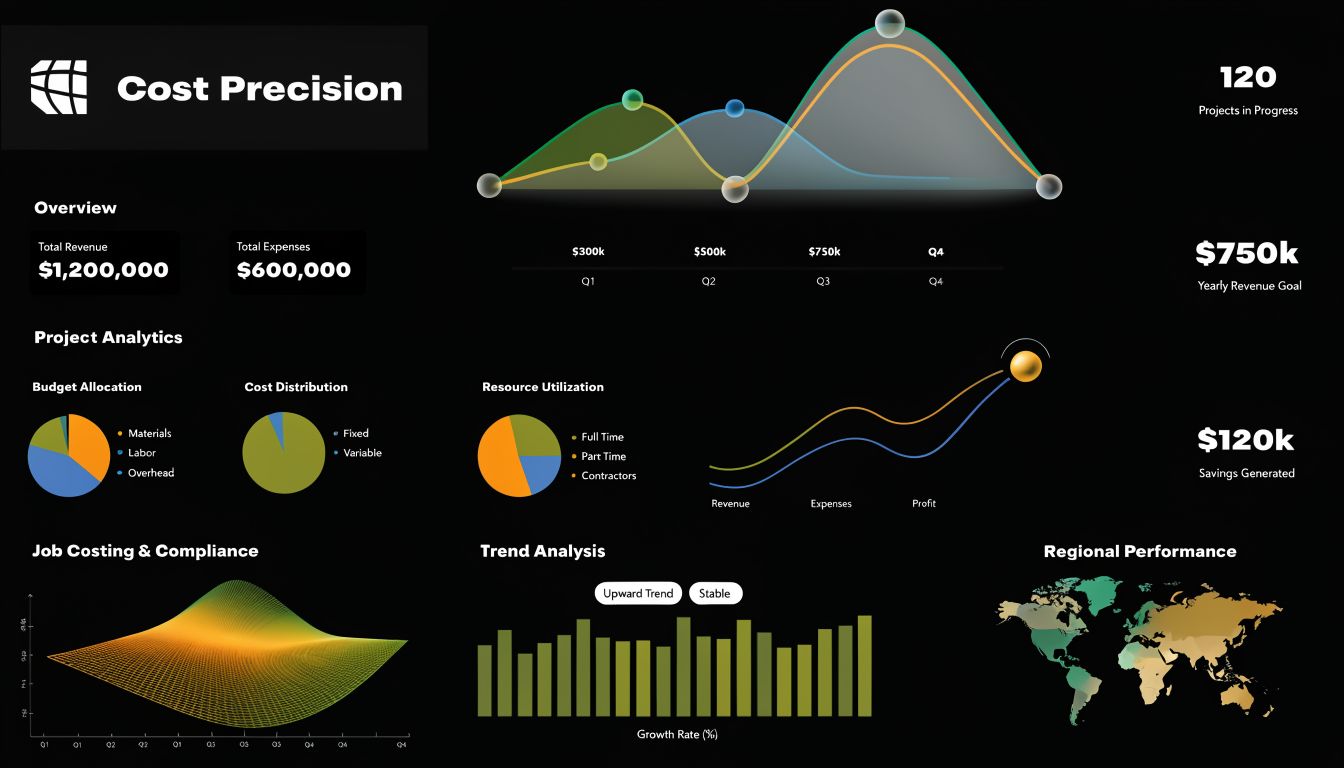
If you run a construction company, healthcare practice, or any business with layered reporting needs, invoice software can’t just send bills. It has to support how the work gets performed, documented, and reported. That means job costing, cleaner audit trails, and tax-aware reporting built into the workflow.
Top platforms can accelerate collections by 3-5x over manual methods through one-click payments, and service-based SMBs report 40% time savings on billing from automation such as expense categorization and bank reconciliation, according to Tailor Brands’ review of invoicing software.
Construction needs job costing, not generic billing
A contractor who only tracks total revenue is flying blind.
You need invoice data tied to the job, phase, customer, labor, and materials. Otherwise, one profitable project hides two bad ones and you don’t see the problem until months later.
Strong systems support:
- Progress billing: Bill by milestone, draw, or contract stage.
- Job-level tracking: Match invoices to specific projects.
- Labor and material allocation: Know what each job is costing.
- Change order visibility: Keep revised scope from disappearing into email threads.
If you’re in trades or construction, this gets serious fast. A job can look busy and still lose money. That’s why proper construction job costing software matters so much.
Healthcare needs cleaner controls
Healthcare businesses have their own headaches. Privacy, patient balances, documentation, and reporting discipline aren’t optional.
Even when your billing process is straightforward, the system still needs to preserve a clean trail. You need clear separation of services, payments, credits, and adjustments. You also need software access and workflows that don’t create unnecessary exposure.
That’s where setup beats features. Plenty of apps promise convenience. Fewer are configured properly for the way a healthcare office operates.
In regulated industries, “easy to use” means nothing if the reporting is wrong.
Tax law changes hit billing faster than owners expect
A lot of business owners think tax work starts when the return gets prepared. Wrong. It starts when transactions are recorded.
Invoice software influences:
- Sales tax calculation
- Revenue classification
- Supporting documentation
- Customer and project records
- Reporting for year-end filings and audit prep
Tax rules change. Filing thresholds shift. Industry requirements evolve. If your invoice workflow is loose, your reporting becomes loose. Then someone has to untangle it later, usually at the worst possible time.
That’s why I push owners to stop thinking of invoicing as a front-office task. It’s part of compliance. If your billing data is dirty, your tax file won’t be clean.
The advanced tools only work if the setup is right
Here’s the blunt part. Businesses buy software loaded with job costing, reporting, tax features, and payment automation, then use about a quarter of it because the implementation was rushed.
The usual mistakes look like this:
| Common mistake | What goes wrong |
|---|---|
| Customers imported badly | Duplicate records and messy histories |
| Jobs not structured properly | Profitability reporting becomes unreliable |
| Tax settings left generic | Sales tax reporting needs cleanup later |
| Payment processors not mapped well | Deposits don’t match invoices cleanly |
| Staff permissions set loosely | Too many people can edit too much |
Advanced features don’t forgive lazy setup. They magnify it.
Choosing Software for Your Florida Business
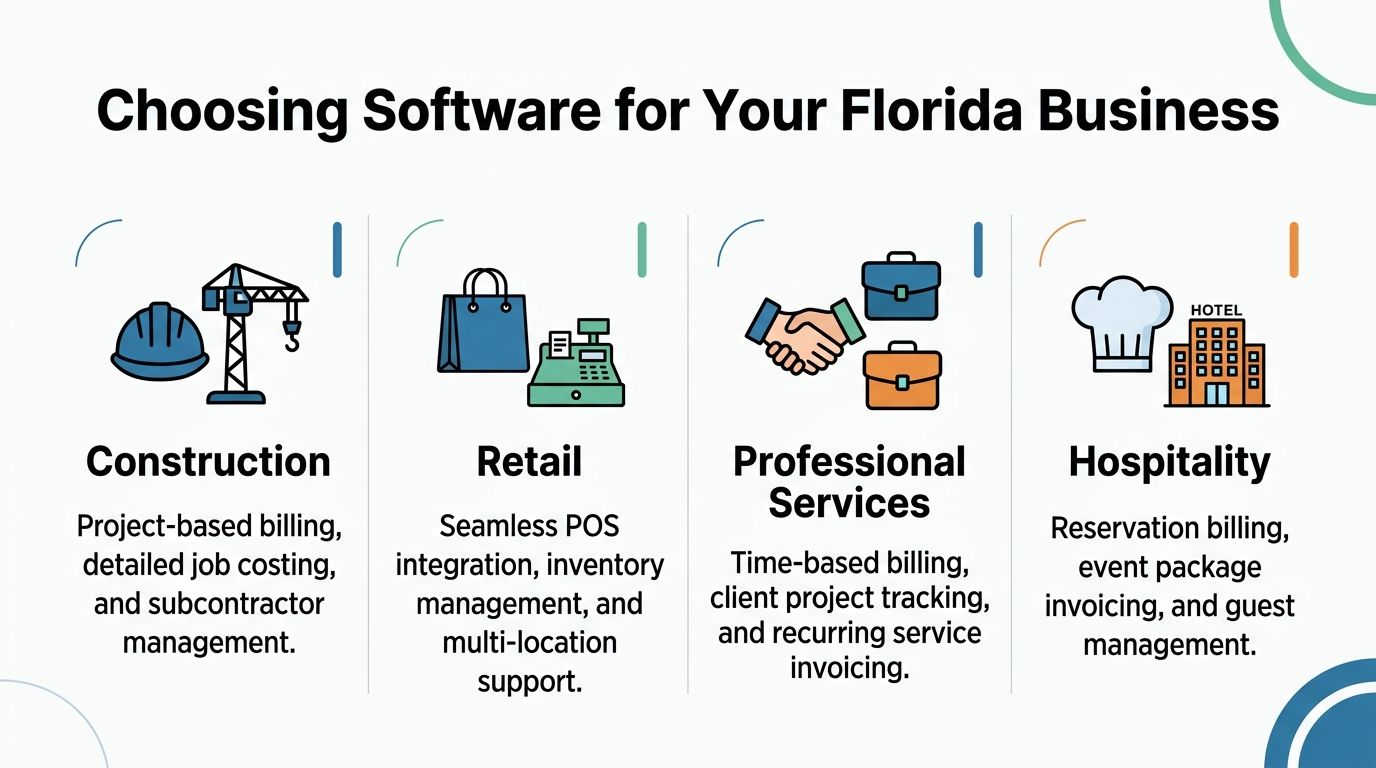
If you search “best invoice software for small business,” you’ll get generic rankings written for everyone and useful for almost no one. A Jacksonville contractor does not have the same needs as a retail shop. A clinic doesn’t operate like a nonprofit. That’s why software selection should start with your business model, not a popularity contest.
A Florida business also has a practical reality. You need tools that support compliance, local operations, and growth without turning setup into a side hobby.
Healthcare businesses
For healthcare, billing has to be controlled, documented, and easy to reconcile.
You want software that keeps invoices organized, supports clear user permissions, and feeds clean records into your accounting system. The big issue isn’t just sending bills. It’s protecting the audit trail and making sure adjustments, payments, and customer balances don’t turn into a reporting mess.
Look for:
- Restricted access controls: Not everyone in the office should touch every setting.
- Clean reporting: You need reliable summaries without spreadsheet gymnastics.
- Integration support: Your invoicing process has to fit your accounting workflow.
- Consistent records: Credits, balances, and payment histories need to stay intact.
Construction and trades
Construction companies need billing that matches the field.
If your invoices aren’t tied to the job, your numbers lie. Progress billing, job phases, retainage handling, and labor-heavy work all demand more than a basic app. Mobile invoicing matters here too, because work happens on-site, not behind a desk.
The strongest fit is usually software that works well with QuickBooks and supports project-level structure. If your crew finishes a phase today, the invoice should go out today. Not next Tuesday after somebody tracks down a handwritten note.
Nonprofits
Nonprofits often get ignored in software reviews, which is ridiculous because they have special reporting needs.
You may need to separate grants, programs, restricted activity, service billing, and donor-related records. Even when the invoicing side looks simple, the accounting underneath can get complicated fast.
Choose tools that support:
- Clear coding by program or activity
- Consistent documentation
- Reports that make sense for boards and audits
- Reliable handoff into the accounting system
Retail and service businesses
Some Florida businesses need tighter integration with payment tools, scheduling, or POS systems. Others need recurring service billing and project tracking.
That’s why I care less about “best overall” and more about “best fit.” Retail may need strong payment flow and inventory tie-ins. Professional services may care more about time-based billing and recurring invoices. Hospitality and event businesses often need package billing and customer communication that stays organized.
This is also where your online presence ties into payment behavior more than owners think. Customers who can easily find your business details, location, and contact information tend to trust the transaction more. If that side of your business is weak, this guide on optimizing your Google Business Profile is worth your time.
My blunt software fit advice
Here’s the short version.
| Business type | What matters most |
|---|---|
| Healthcare | Controlled access, clean reporting, reliable audit trail |
| Construction | Job costing, progress billing, mobile invoicing |
| Nonprofit | Program-level clarity, documentation, audit-friendly records |
| Retail | Payment speed, POS alignment, inventory awareness |
| Professional services | Time billing, recurring invoices, client project tracking |
Don’t pick software because another business owner likes it. Pick it because it matches how your money moves.
The wrong system creates workarounds. Workarounds create mistakes. Mistakes create cleanup bills, tax stress, and ugly surprises.
The ProAdvisors QuickBooks Integration Checklist
QuickBooks is popular for a reason. When it’s configured properly, it handles the accounting side of invoicing the way a business needs it handled. When it’s configured badly, it becomes an expensive machine for generating confusion faster.
QuickBooks Online’s invoicing integration automatically debits accounts receivable and credits revenue upon invoice creation, which eliminates manual journal entries tied to 30-40% of small business accounting errors. It also supports over 650 third-party app integrations and can drive up to 4x faster payment cycles compared to paper invoicing, according to Flowlu’s review of top invoice apps.
That sounds great. It is great. But only if the setup is clean.
Start with your chart of accounts
If your chart of accounts is a mess, stop there.
Your invoicing categories, service items, tax mapping, and reporting all depend on the accounting structure underneath. Too many owners import software defaults and assume they’ll fix it later. They won’t. Later becomes “why does this P&L make no sense?”
Check these first:
- Income accounts: Separate major revenue streams logically.
- Accounts receivable setup: Keep customer balances clean and consistent.
- Tax-related accounts: Make sure sales tax handling matches your operation.
- Industry-specific accounts: Construction, healthcare, and nonprofit reporting need different structures.
Clean your customer and item lists before import
Dirty list data creates duplicate customers, bad histories, and reporting clutter you’ll hate for years.
Before migrating or integrating, clean up:
- Customer names so duplicates don’t import under slight variations.
- Open invoices so aging reports start from reality.
- Products and services so income mapping stays accurate.
- Terms and pricing so recurring billing doesn’t get built on outdated assumptions.
This step bores people. That’s exactly why it gets skipped. Then the cleanup bill arrives.
Map payment workflows correctly
A lot of owners can send invoices through QuickBooks. Fewer understand how those payments should land.
If bank feeds, merchant deposits, and invoice payments aren’t mapped correctly, you get false duplicates, unmatched deposits, and reconciliation headaches. The books may look “close enough” until month-end proves otherwise.
A system that sends beautiful invoices but posts ugly accounting entries is not a good system.
Set up recurring billing with rules, not wishful thinking
Recurring billing only works when the underlying rules are right.
Review:
- Billing frequency
- Amounts and effective dates
- Late fee settings
- Reminder timing
- Customer payment method
- Revenue account mapping
One bad recurring profile can produce a string of wrong invoices before anyone notices. Multiply that across several customers and now you’ve built an administrative bonfire.
Confirm sales tax and location logic
Sales tax setup in QuickBooks deserves more attention than it gets.
Even if your invoicing looks straightforward, tax treatment can vary by item, customer type, and where the transaction occurs. If you sell into multiple jurisdictions or have changing obligations, this isn’t something to guess through.
Your checklist should include:
| Setup area | What to verify |
|---|---|
| Tax codes | Correct treatment by item or service |
| Customer setup | Exemptions or special handling where applicable |
| Invoice templates | Tax display and calculation behavior |
| Sync rules | How third-party apps pass tax data into QuickBooks |
Lock down permissions and audit trail settings
Not everyone on your team needs full access. In fact, most people shouldn’t have it.
Invoice edits, voids, credits, and customer record changes can all create reporting problems if permissions are too loose. QuickBooks can support a strong process, but you still have to tell it who can do what.
Test the workflow end to end
Before going live, run real examples.
Create a test estimate if you use estimates. Convert it to an invoice. Accept a payment. Match the deposit. Review the customer balance. Confirm the revenue hit the right account. Check the reporting.
If any step feels clunky or confusing, fix it before the volume hits. Small setup mistakes become large cleanup projects once the business starts relying on the system daily.
Why Your Software Needs a Fractional CFO to Steer It
Invoice software collects data. That’s all.
Useful? Yes. Powerful? Potentially. But it still doesn’t tell you whether your cash flow is tightening, which customers are stretching payment terms, which jobs are underpriced, or whether your tax exposure is growing in the background.
That’s the gap most owners run into. They buy software expecting strategy. Software does processing. People do judgment.
Software alone doesn’t protect you from bad decisions
You can have a polished invoicing system and still make terrible business decisions if nobody is reading the numbers correctly.
A fractional CFO helps translate billing data into action:
- Cash flow planning: Not just who owes you, but what that means for payroll, taxes, and vendor timing.
- Pricing decisions: If jobs or services aren’t producing margin, somebody needs to say it clearly.
- Process fixes: Slow collections often point to operational issues, not just billing issues.
- Compliance oversight: Tax law changes and reporting requirements don’t pause because you bought an app.
The plug-and-play myth costs businesses money
This is the part software companies don’t advertise loudly enough.
As many as 25% of small businesses abandon new software within 3 months due to poor integration support, and 40% of clients face cash flow disruptions during transitions because of unaddressed custom field mappings and audit trail losses, according to Enrollsy’s discussion of invoicing software setup problems.
That tracks with what a lot of us in accounting see in practice. Owners buy a tool, import messy data, skip the setup logic, and then wonder why reports don’t match reality.
A fractional CFO closes the last mile
The last mile is where good software either becomes a control system or becomes another monthly subscription you resent.
A strong advisor helps you:
- Choose software that fits the business model
- Build the chart of accounts and invoice logic correctly
- Integrate QuickBooks cleanly
- Review trends in receivables and payment timing
- Adjust for tax law changes and reporting requirements
- Turn billing data into decisions, not just dashboards
You don’t need more software. You need the right system and someone who knows what the numbers are trying to tell you.
That’s especially true for owners in healthcare, construction, nonprofits, and growing service businesses. You’re too busy running operations to play part-time CFO at night.
Software can absolutely improve cash flow and compliance. But the software is the vehicle. The driver still matters.
If your invoicing process is messy, slow, or stitched together with spreadsheets and hope, it’s time to fix it properly. Bookkeeping and Accounting of Florida Inc. helps Northeast Florida businesses set up clean billing workflows, integrate with QuickBooks the right way, stay compliant with tax and reporting requirements, and get valuable financial guidance through bookkeeping, CPA support, and fractional CFO services. If you want invoice software for small business that functions effectively in practical use, get experienced hands on the setup before bad data becomes an expensive habit.