
You're staring at a QuickBooks file filled with imported bank transactions, vague categories, missing receipts, and a reconciliation screen you'd rather avoid. The tax deadline is approaching, your CPA is asking questions, and you're not sure whether the numbers reflect the business or just reflect what happened to flow through a bank account.
Thank you for reading this post, don't forget to subscribe!That's the reality behind many small-business bookkeeping systems. QuickBooks expense tracking can turn scattered spending into organized, searchable financial records, but the software won't decide whether a transaction is a client expense, an owner draw, a reimbursable cost, or a tax-sensitive item. That judgment requires a disciplined process, reliable documentation, and financial guidance.
QuickBooks has become a major platform for small-business accounting. Intuit's 2022 research reported 7.1 million online paying small-business customers, including 5.9 million QuickBooks Online subscribers as of July 2022. The same research found that only about half of surveyed U.S. firms with fewer than 100 employees used accounting software, while more than 70% still relied on spreadsheets and pen-and-paper for transaction management. NBER's published research shows why moving from manual records to software matters, but clean books still depend on how the system gets configured and maintained.
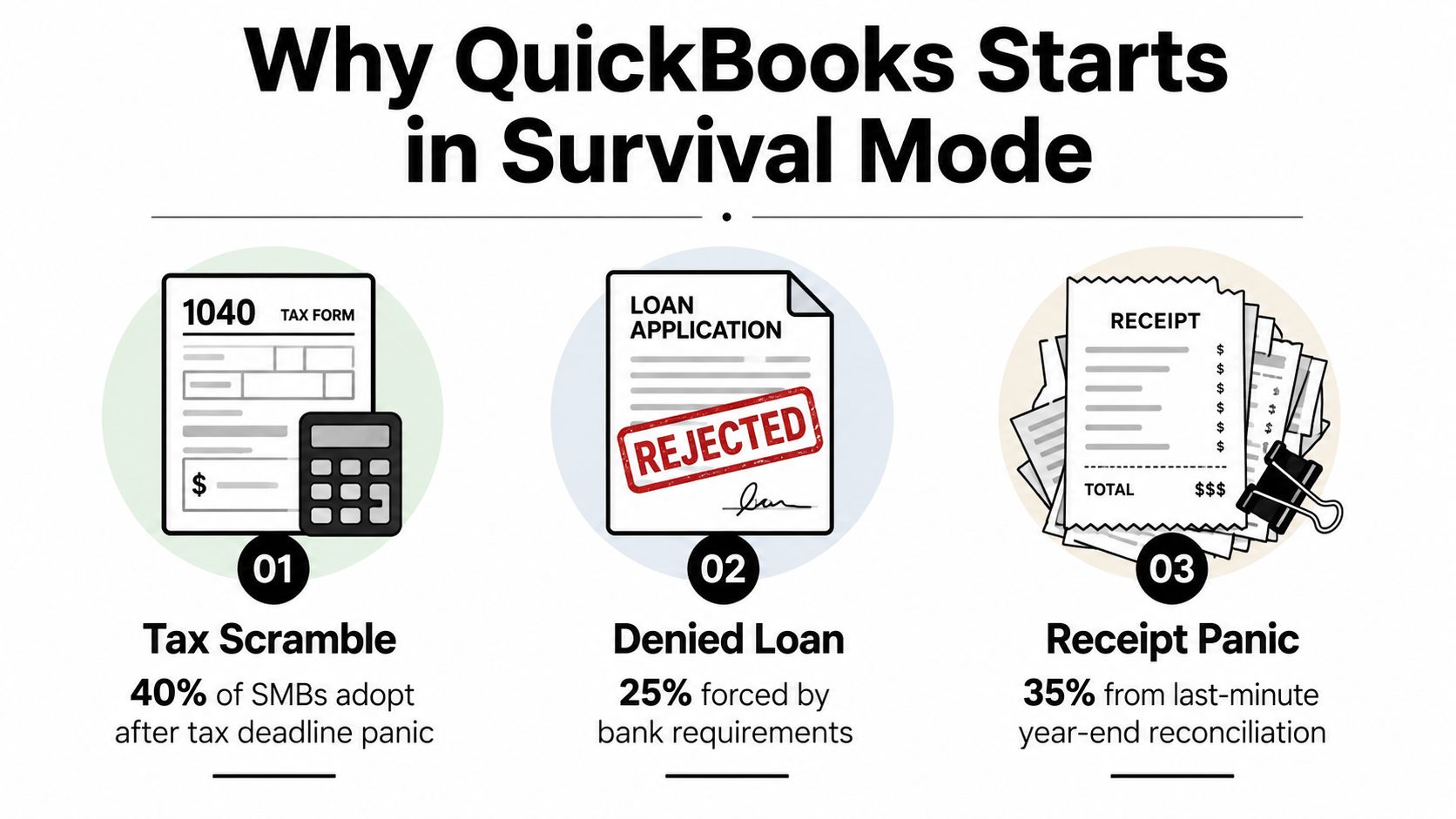
Why Most QuickBooks Files Start in Survival Mode
Most owners don't open QuickBooks because they've designed a thoughtful financial-control system. They open it after a tax scramble, a denied loan, or a Friday night spent sorting last year's receipts. The file gets created under pressure, the default chart of accounts stays mostly untouched, and every transaction that the bank feed imports looks like progress.
It isn't necessarily progress. Vendors get grouped under broad categories, personal and business spending gets mixed, and uncategorized transactions remain in the ledger because nobody has assigned responsibility for reviewing them. After enough time, QuickBooks becomes a digital shoebox. The receipts are searchable, but the records still don't explain what the business spent, why it spent it, or whether the deduction can be supported.
Software records decisions, it doesn't make them
QuickBooks Online includes an integrated expense tracker on every plan, along with related functions such as receipt capture and expense categorization, according to Intuit's expense tracker information. That built-in availability makes the platform practical for small and mid-sized firms, but it doesn't remove the need for accounting judgment.
A bank feed can identify the payee and amount. It can't reliably determine whether a purchase was for the office, a customer, an employee, or the owner personally. It also can't supply the business purpose that supports a deduction. Those decisions belong in a documented workflow.
Practical rule: Treat QuickBooks as the company's financial record, not as an automatic bookkeeping employee.
The cost of going it alone appears later. It shows up during tax preparation, financing conversations, payroll reviews, sales-tax questions, and owner decisions based on reports that look complete but contain errors. The problem usually isn't QuickBooks. It's treating setup as a one-time task instead of maintaining a monthly control process.
Setting Up the Foundation Before You Import a Single Transaction
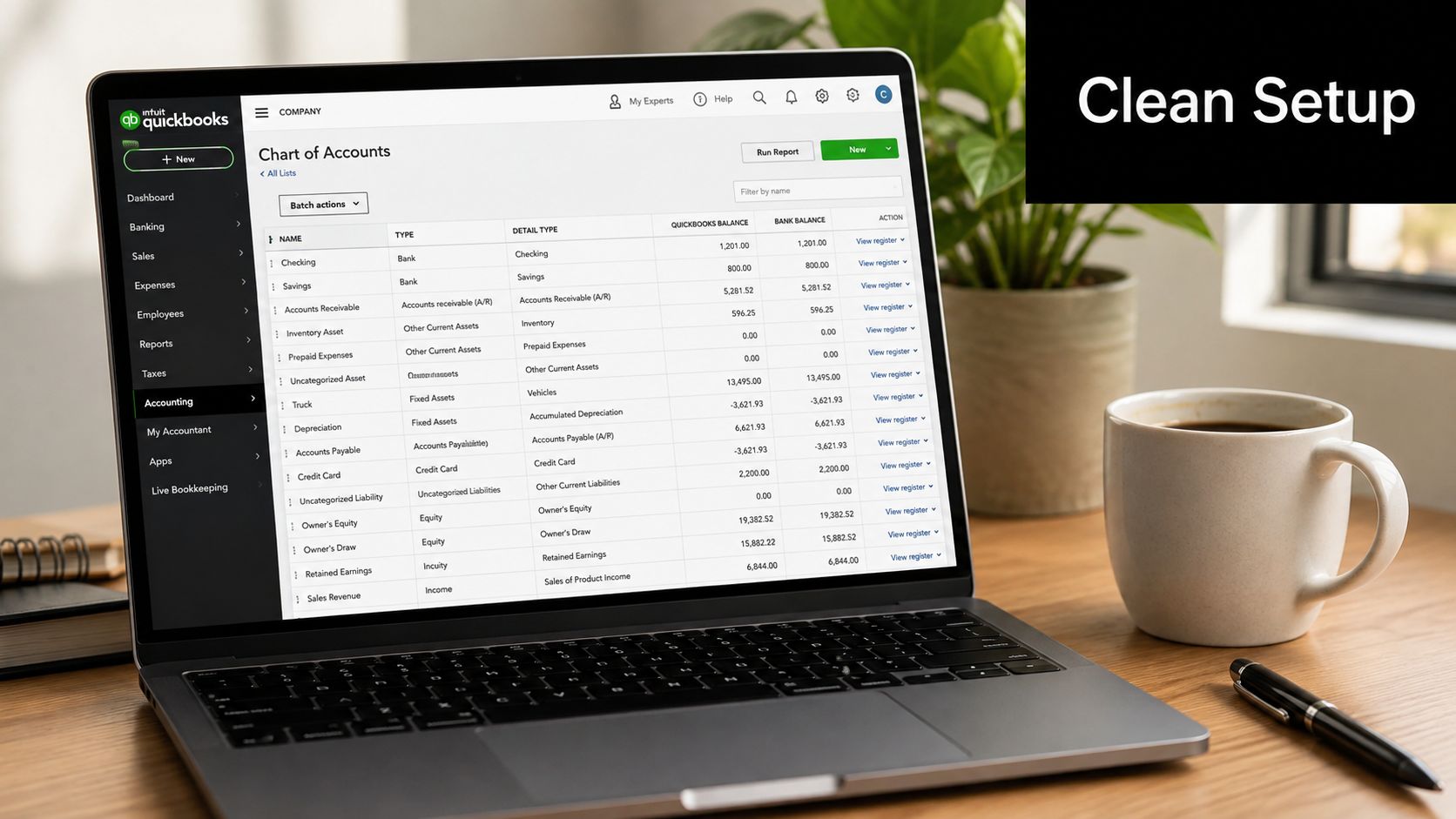
A clean QuickBooks file starts before the first bank feed arrives. If the chart of accounts doesn't match the way the company earns revenue and spends money, every later report becomes harder to interpret. Start with the company's actual operations, then remove, rename, or consolidate default accounts that don't fit.
For example, a construction company may need expense groupings that distinguish materials, subcontractors, equipment, and job-related travel. A healthcare practice may need clearer separation between clinical supplies, office costs, software, and professional services. A service company may need classes for locations, departments, or service lines. Don't create categories just because the template offers them.
The expense structure should also support tax preparation. This QuickBooks chart of accounts guide can help owners organize accounts around the business's real activity and reporting needs. For many small businesses, mapping expenses to IRS Schedule C lines creates a cleaner path from transaction entry to tax return preparation, as described in this QuickBooks Online categorization guide. The right number of categories is the number that explains the business without creating needless confusion.
Build controls into the file
Set up vendors with accurate names before transactions accumulate. Add 1099-related information where appropriate, but remember that the bookkeeping file still needs supporting payment records and proper classification. If the business operates across locations, jobs, or service lines, add class or location tracking before employees begin posting transactions inconsistently.
Turn on sales-tax, payroll, and inventory preferences only when the company uses those functions. Unused features create noise and invite incorrect entries. Establish a closing-date policy after a prior period has been reviewed, so completed months don't get casually changed without authorization.
The IRS doesn't require one specific bookkeeping method, provided the method clearly and accurately reflects gross income and expenses. Supporting records should identify the payee, amount paid, proof of payment, date incurred, and business purpose, as explained in the IRS recordkeeping guidance. Your QuickBooks setup should make those details easy to locate, not force someone to reconstruct them at year-end.
Connecting Bank Feeds and Turning Raw Data into Clean Books
Bank feeds are useful only when they feed a review process. Connect business checking and savings accounts, business credit cards, and merchant-processor activity where the workflow supports it. If business purchases are made through personal cards, digital wallets, or personal shopping accounts, don't ignore them. Separate the business activity, preserve the source documentation, and record the owner funding or reimbursement correctly.
Once transactions import, review the suggested matches before accepting them. QuickBooks may recognize a recurring payee, but it can't understand the business context behind every charge. A Staples purchase could be office supplies, a client item, or something personal. The category should reflect the actual purpose, not merely the vendor name.
Make the feed review repeatable
Create a limited set of rules for predictable transactions. A recurring software subscription can route to Software, fuel can route to Vehicle, and a known vendor can route to its assigned expense account. Rules should reduce repetitive work, not eliminate review. Overly broad rules create errors quickly, especially when a vendor sells multiple types of products.
Attach receipts while categorizing the transaction. A photo left in a phone gallery is not a dependable record. A receipt attached inside QuickBooks gives the transaction context that can be found during reconciliation, tax preparation, or an internal review.
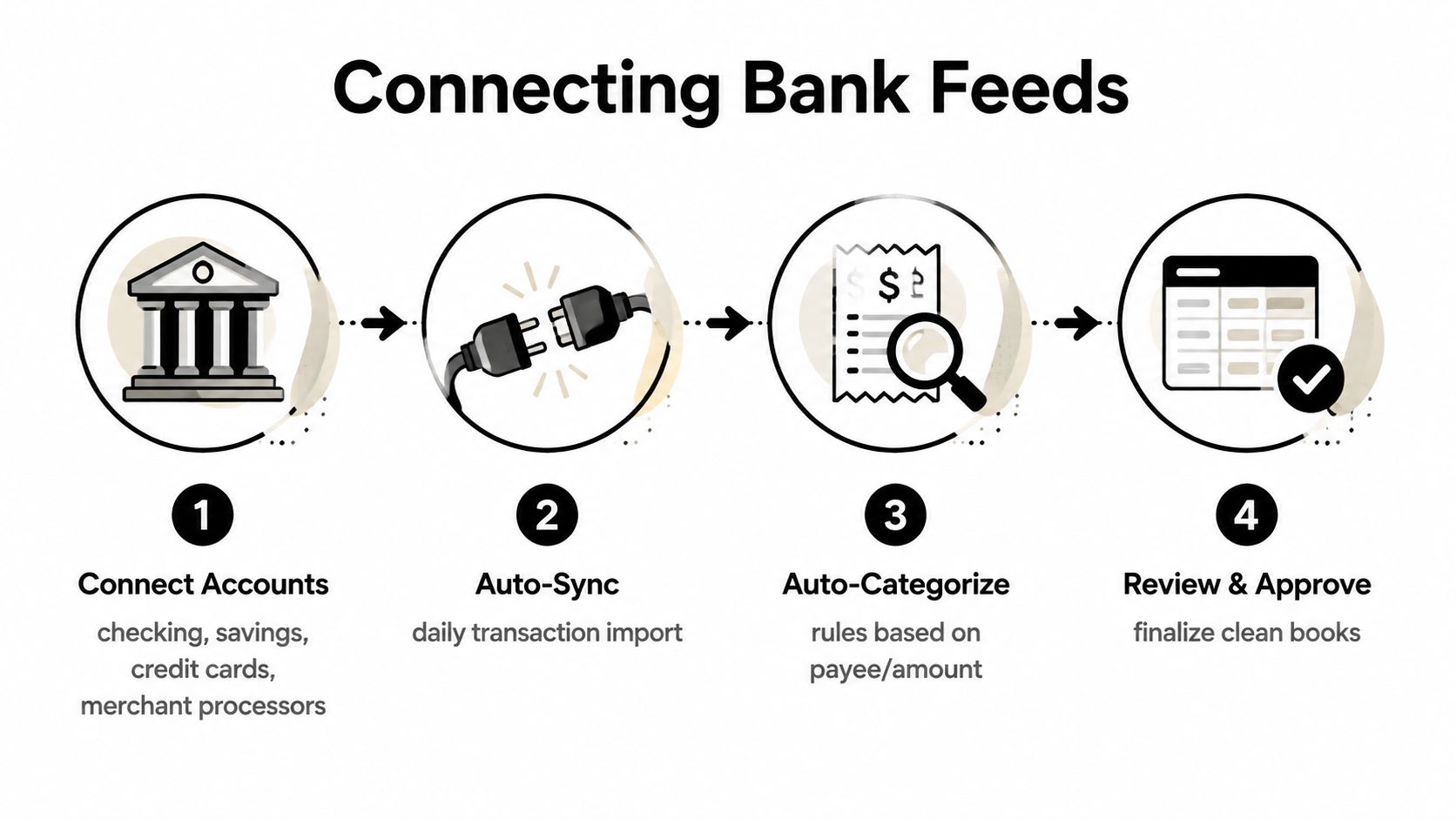
A typical Jacksonville small business may have a steady stream of transactions across operating accounts and credit cards. The practical answer isn't waiting for a quiet month. Review the feed in short, regular sessions, match imported lines to existing entries, assign the payee and category, split transactions when necessary, and attach the evidence before moving on.
For the mechanics of confirming that QuickBooks agrees with the financial institution, use this guide to reconciling bank accounts.
This short walkthrough can also help owners understand the bank-feed workflow:
Monthly Reconciliation and the IRS Recordkeeping Standard
Skipping monthly reconciliation is the most expensive QuickBooks habit because it lets small mistakes become financial facts. An imported transaction can be duplicated, miscategorized, assigned to the wrong account, or left uncleared. If nobody compares the ledger with the actual bank or card statement, the reports may remain wrong for months.
Reconciliation is the point where transaction data gets tested against an outside record. Match cleared transactions, investigate unmatched items, remove duplicates, correct owner draws, and review suspense or uncategorized accounts before closing the period. Don't let a growing suspense balance become a permanent holding area for decisions nobody wants to make.
Documentation is part of the accounting record
The IRS says businesses should keep records as long as needed to prove income or deductions. The documentation should connect the expense to the payee, amount, payment evidence, date, and business purpose. IRS guidance on retaining business records explains that the general period of limitations is three years, depending on the action, expense, and event recorded.
A receipt by itself may not be enough. A complete record can require the receipt, invoice, bank or card evidence, and an explanation of how the expense relates to business activity. Owners should also handle personal-card purchases carefully. If a business expense was paid personally, record the business expense and the related owner contribution or reimbursement instead of pretending the charge came from the company bank account.
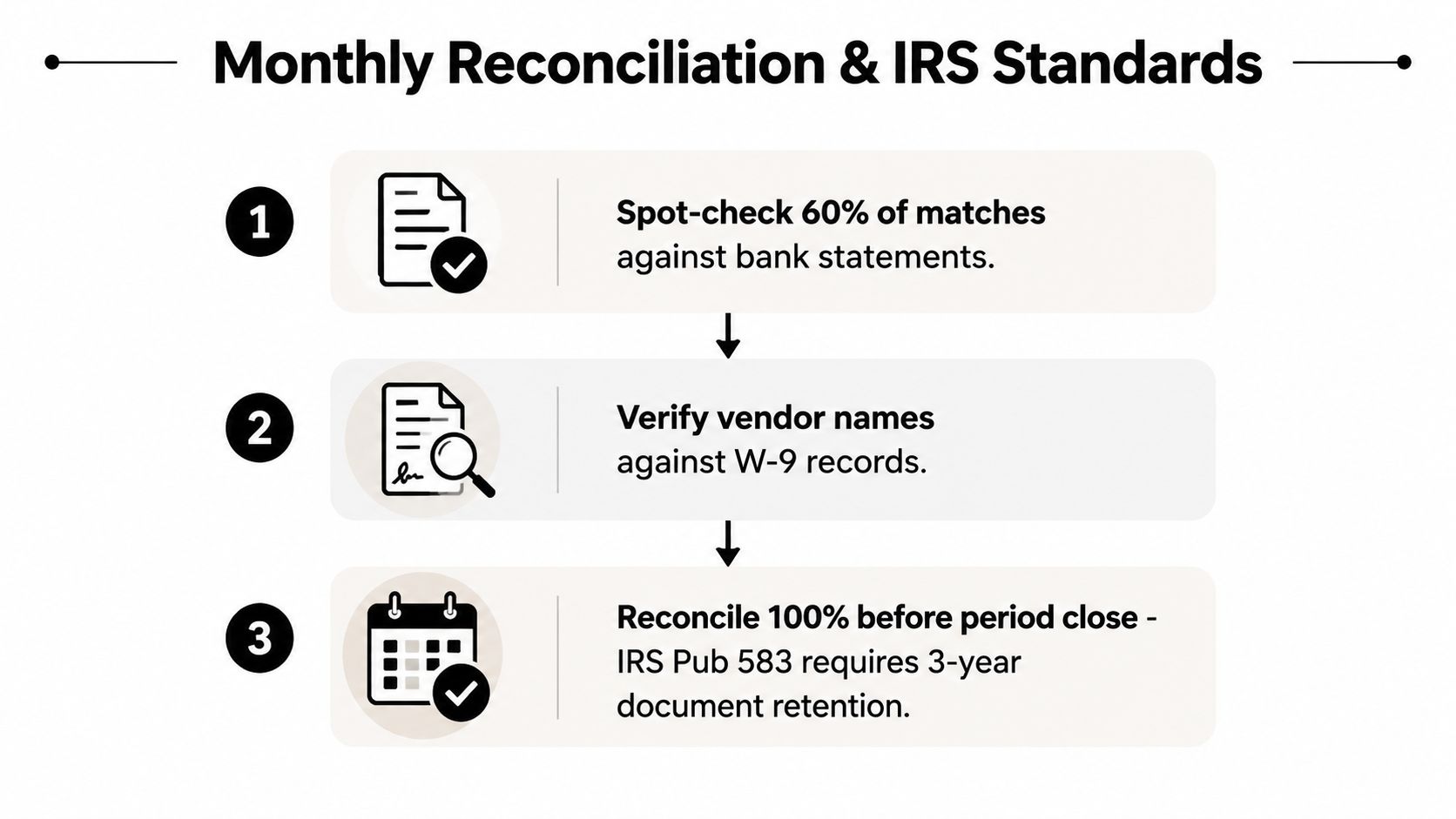
A fractional CFO makes this process practical by reviewing the reconciled file, unresolved items, supporting documents, and management reports on a recurring basis. That review creates accountability and gives the owner an audit-ready package instead of a stack of unexplained transactions.
Use this guide to organizing receipts for taxes to build a document process that supports the books rather than sitting beside them.
2026 Tax Changes That Belong in Your Categories This Quarter
Tax changes create bookkeeping problems when owners wait until tax preparation to separate affected transactions. For 2026, create the categories and documentation rules now, then confirm the treatment with your CPA before posting transactions under a new tax provision.
One 2026 small-business tax update recommends separate bookkeeping categories for overtime wages, tip income, and other newly tax-free items. Another guide recommends documenting the amount, date, business purpose, and person involved for each deduction, while retaining receipts, invoices, bank statements, and mileage logs. This 2026 tax update from Expensify provides operational context for separating those records.
| Tax Provision | QuickBooks Category | Automation Rule |
|---|---|---|
| Overtime compensation | Overtime wages, separate from regular wages | Route payroll entries identified as overtime to the dedicated account |
| Tip income | Tip income, separated by relevant source or payroll detail | Flag tip-related deposits and payroll records for review |
| Other newly tax-free items | Dedicated account based on the tax treatment confirmed by your CPA | Require manual review before accepting matching transactions |
| Business-related deductions | Expense accounts with supporting-document fields | Flag entries missing amount, date, business purpose, or receipt evidence |
For payroll teams, a resource on post payroll tax compliance can help clarify how payroll deductions and documentation fit into the broader compliance process. QuickBooks rules can identify likely transactions, but they shouldn't make final tax determinations without professional review.
The right move is simple. Add distinct accounts, update payroll and expense workflows, and make the required documentation visible to whoever reviews the books. A category created after year-end is better than nothing, but a category created before the transaction arrives is far more useful.
When QuickBooks Alone Stops Being Enough
QuickBooks is a system of record. It's not automatically a system of insight. The file can contain every transaction and still fail to answer the questions that determine whether the owner should raise prices, hire staff, accept a contract, borrow money, or prepare for a sale.
A growing company needs more than categorized expenses. It needs margin analysis by service line, a cash forecast connected to expected sales, lender-ready financial statements, and tax planning that considers ownership changes. It also needs someone willing to challenge the numbers instead of just entering them.
The owner usually sees the problem too late
Owners managing the books alone often miss pricing erosion because revenue still looks healthy. They miss unprofitable contracts because direct costs aren't tracked by job or service line. They overlook 401(k) match errors because payroll reports and general-ledger entries don't agree. They also underestimate sales-tax exposure when the company sells across multiple states.
Those are interpretation problems. A bookkeeper can maintain transaction accuracy, and a CPA can prepare tax filings, but a fractional CFO connects the records to decisions. That service can include a monthly close review, KPI dashboards built from QuickBooks data, cash-flow forecasting, lender reporting, and proactive tax planning.
Clean books tell you what happened. A CFO helps you decide what happens next.
Every company benefits from financial guidance as complexity increases. The question isn't whether an owner needs another full-time executive. The question is whether the cost of making decisions from a tax-oriented chart of accounts is greater than the cost of qualified oversight.
QuickBooks tools and training resources can be useful for owners who want to handle more of the workflow themselves. These BookkeepDIY tools for QuickBooks Online may help with routine tasks, but tools don't replace review, accountability, or professional judgment.
A Monthly Expense Habit That Keeps You Compliant and In Control
Put a recurring 90-minute monthly close block on the calendar. The goal isn't to perform every accounting task at once. The goal is to move from imported data to reviewed, documented, reconciled financial information with a clear deliverable at each stage.
Pass one clears the transaction feed
Download or refresh the bank and credit-card feeds. Match obvious transactions to existing entries, identify duplicate imports, and flag unfamiliar charges. Review business and personal activity separately, especially when an owner uses a personal account for company purchases.
The deliverable is a cleared feed. Every remaining item should have a reason for being unresolved, not merely a place in the uncategorized queue.
Pass two attaches evidence and improves the rules
Review uncategorized transactions and assign the correct payee, category, tax code, class, or location. Attach receipts through the QuickBooks mobile workflow while the documentation is available. If the same vendor keeps requiring manual treatment, refine the rule for the next month instead of repeating the same decision indefinitely.
Check whether a transaction needs a split. A single charge may include taxable and nontaxable items, business and personal portions, or multiple departments. Record the business purpose in the transaction notes when the receipt alone won't explain it.
The deliverable is attached documentation and a controlled rule set. Don't automate a classification you haven't reviewed.
Pass three reconciles and tests the reports
Reconcile each account to its statement. Investigate differences, confirm that owner contributions and draws are recorded correctly, and review uncleared items that remain open. Then run the standard report set, including the profit and loss, balance sheet, accounts receivable, accounts payable, and expense detail reports that fit the business.
Compare current results with the budget or prior internal expectations. Look for unusual vendor activity, shrinking margins, cash pressure, and expenses that don't match the operating plan. The deliverable is a signed-off reconciliation report and a management view the owner can use.
A monthly close should produce evidence, not just a green reconciliation screen.
Some owners can maintain this discipline internally. Many can't, because they're also selling, managing employees, serving customers, and handling compliance deadlines. A bundled bookkeeper, CPA, and fractional CFO relationship gives the business one connected workflow for transaction entry, tax preparation, reporting, and financial guidance. That support helps small businesses stay compliant while using QuickBooks expense tracking for decisions, not just record storage.
Bookkeeping and Accounting of Florida Inc. provides QuickBooks setup, cleanup, bookkeeping, CPA, tax, and fractional CFO services for businesses that need accurate records and dependable guidance. Visit Bookkeeping and Accounting of Florida Inc. to discuss your expense-tracking workflow, monthly close process, and compliance needs with a Jacksonville-based team.