
You're staring at a job that looked solid when you sold it, but the numbers won't sit still. The draw checks came in, the crew got paid, the subs invoiced late, and now the “profitable” project doesn't feel profitable at all. That's the exact moment QuickBooks construction job costing stops being a software question and turns into a real accounting problem.
Thank you for reading this post, don't forget to subscribe!In my Jacksonville practice, that's usually where contractors call. They don't need another generic setup tutorial, they need a file that tells the truth about each job, each phase, and each dollar that should've been captured weeks ago. QuickBooks can do it, but only if the structure is right from day one.
The Contractor Who Lost Money on a Profitable Job
A Jacksonville remodeling contractor once finished a $480,000 kitchen-and-addition job, collected the final draw, and thought he'd done well. On paper, he'd quoted a 22% margin. By the time labor true-ups, missing change orders, and one subcontractor overrun hit the books, the job was sitting closer to 4%. That gap didn't come from bad carpentry. It came from bad accounting design.
The P&L Was Fine, The Job Was Not
That's the trap. A contractor can look at the bank balance and the companywide profit and think the business is healthy, while individual projects bleed margin. QuickBooks often gets set up like a retail chart of accounts, not a construction system, so direct costs and overhead get mashed together and the project report stops telling the truth.
Practical rule: if you can't separate labor, materials, subcontractors, equipment, permits, and overhead by job, you don't have job costing, you have expense tracking.
QuickBooks job costing works only when every transaction lands in the right job and the right bucket. Intuit positions job costing in QuickBooks Projects as a way to compare estimated costs with actual costs so contractors can improve future budgets, and that feature sits inside QuickBooks Online Plus and Advanced (Intuit's construction job costing article). That's current product reality, not legacy fluff.
The lesson is simple. Job costing is the lens that separates project profit from business survival. If the file is coded wrong, the report can look polished and still be economically wrong.
What Job Costing Actually Means in QuickBooks
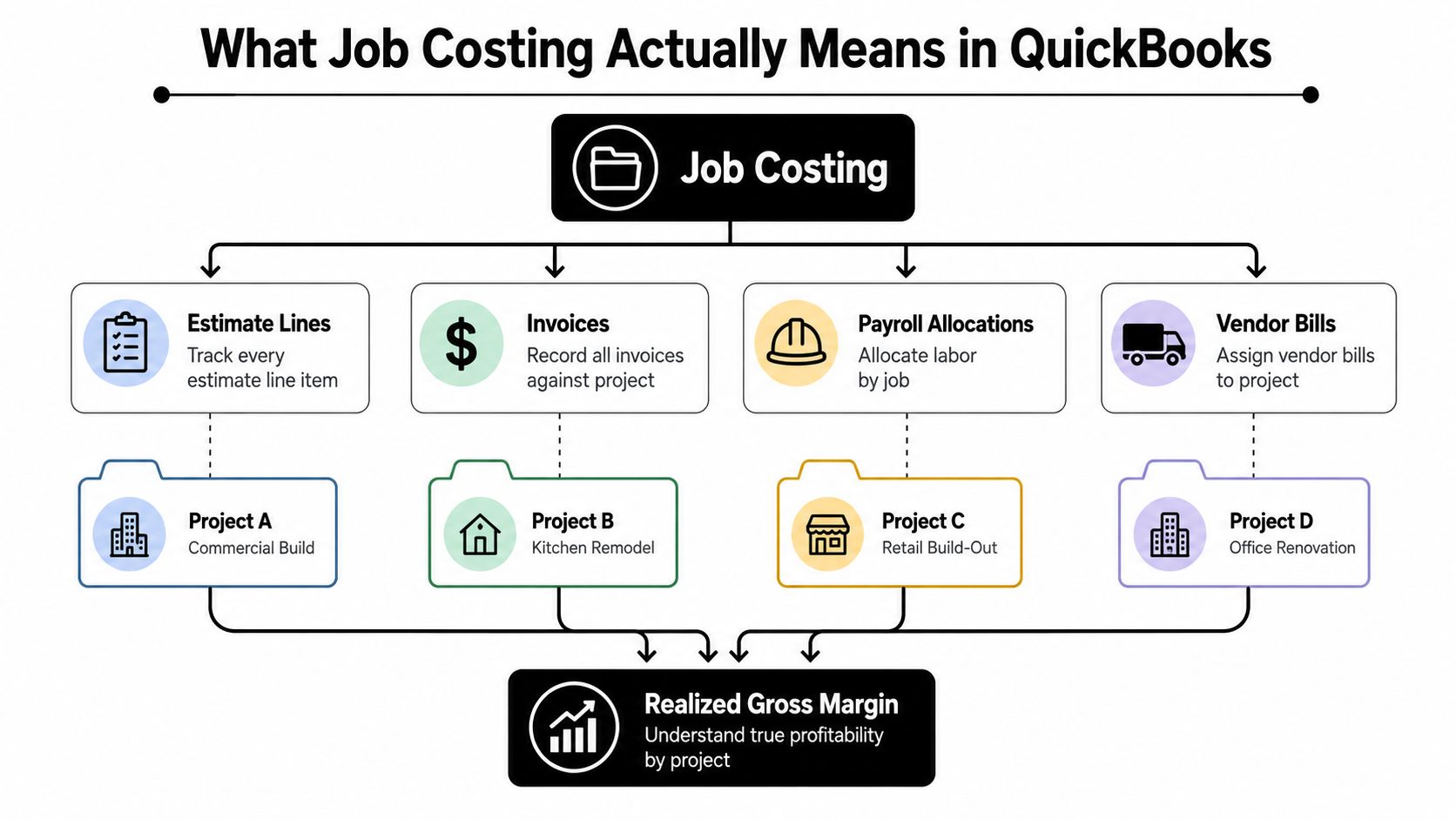
Job costing means capturing every estimate line, invoice, payroll allocation, and vendor bill against a specific project so you can compare the bid margin to the realized margin. If that sounds basic, good, because most contractors don't need more theory. They need discipline.
The Three Inputs That Matter
QuickBooks needs three things to make job costing useful.
First, the estimate, which is the planned cost. Second, the actuals, which are what you really spent. Third, the cost code or class, which tells QuickBooks whether that cost belongs to framing, plumbing, supervision, or another part of the job.
A house build illustrates this well. The estimate is the blueprint. The actuals are the lumber, labor, and subcontractor invoices that showed up on site. The cost code is the room or phase each item belongs in, so the math doesn't turn into a pile of mismatched expenses.
QuickBooks Gives You Containers, Not Judgment
QuickBooks doesn't invent job costing. It gives you the containers, like Projects, Classes, Locations, items, and customer-job records, so you can make the math work. That distinction matters because the software won't fix a weak structure for you.
A contractor can tag expenses all day and still miss the point if overhead is mixed into project cost of goods sold. Independent construction guidance also notes that if office or G&A spend gets buried in project COGS, gross margin gets understated and bid pricing decisions get warped (Projul on construction QuickBooks integration best practices). That's why setup matters more than button-clicking.
QuickBooks is useful when the file reflects how construction works. If it doesn't, the reports just give you faster wrong answers.
QuickBooks Online vs Desktop for Construction Job Costing
Contractors usually ask this like it's a software preference question. It isn't. It's a workflow decision.
What Each Version Does Better
QuickBooks Online Plus and Advanced give you Projects, which bundle estimates, invoices, costs, and profitability in one view. They're cloud-based, they update across devices, and they work well when an owner, office admin, and field team all need the same file at the same time. QuickBooks Desktop Premier and Enterprise still give many contractors the job-level reporting they know, especially with Jobs, Classes, and item-based tracking, but it's an on-premise workflow that's being pushed harder into the background.
| Feature | QuickBooks Online (Plus/Advanced) | QuickBooks Desktop (Premier/Enterprise) |
|---|---|---|
| Projects / Jobs | Projects link estimates, invoices, costs, and profitability | Jobs sit under customers with deeper hierarchy |
| Access | Cloud-based, easier for multi-user access | Local or hosted access, more legacy workflow dependent |
| Classes / Locations | Class and location tracking available | Class tracking and item-level detail are familiar to long-time users |
| Reporting feel | Project-centered, modern workflow | Granular job reporting, especially for item-heavy contractors |
| Strategic fit | Better for growth and remote collaboration | Better only if a legacy process truly depends on it |
The Strategic Problem With Staying Put
Desktop still has fans for a reason. Many long-time contractors like the tighter job-level reporting and the familiar setup. But the strategic risk is real, especially as Intuit keeps de-emphasizing Desktop and payroll add-ons face a 2026 sunset path in the broader product ecosystem. I'm not telling contractors to panic. I'm telling them to stop pretending the choice is neutral.
If you're growing, need multi-user access, or want cleaner project visibility, cloud wins. If a legacy workflow depends on Desktop, keep it, but be honest about what you're giving up. For a more construction-specific setup perspective, I'd point you to this practical guide on QuickBooks for construction companies.
Setting Up Your Chart of Accounts, Classes, and Projects
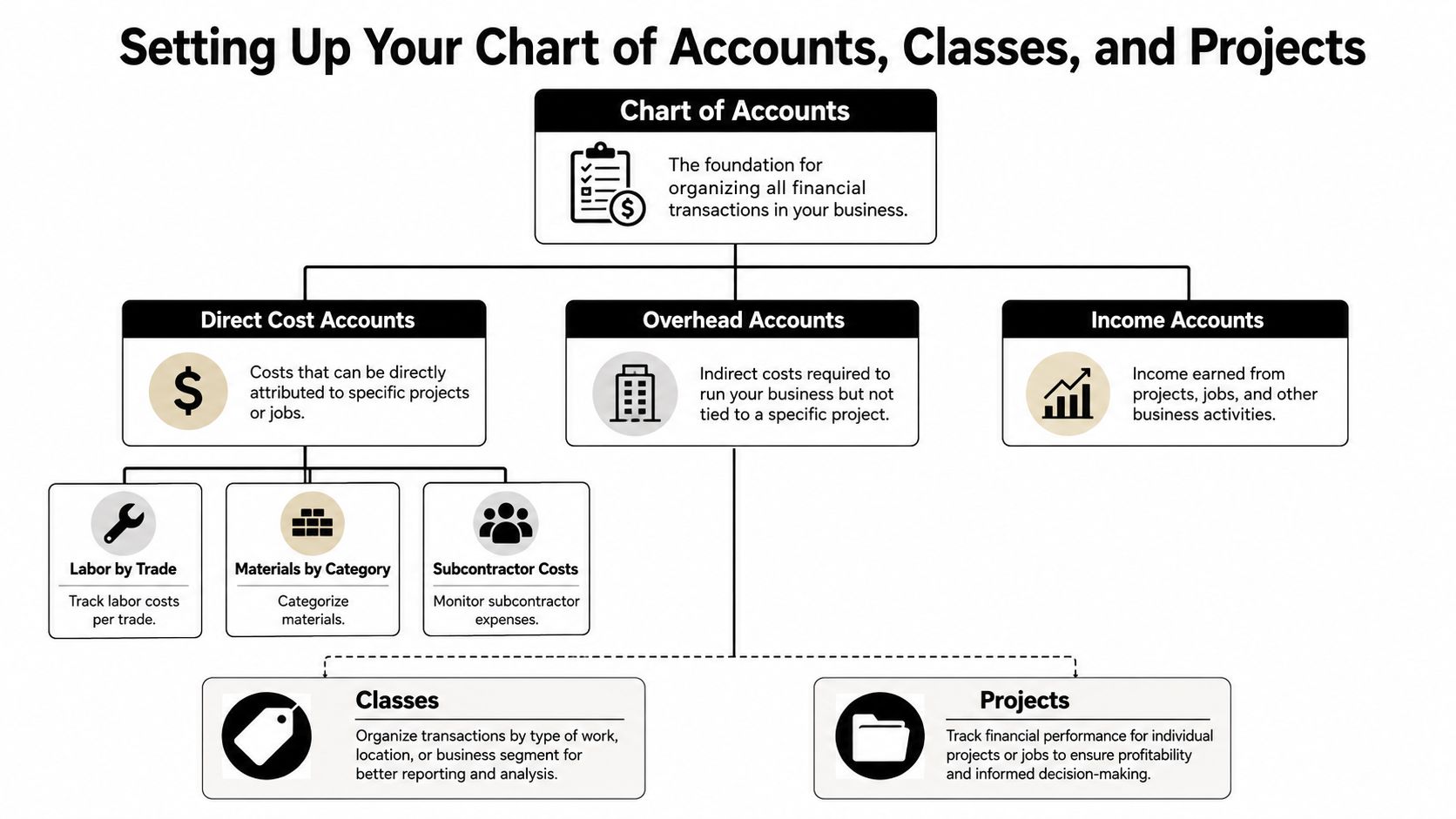
The file has to be built around construction, not around generic bookkeeping. That means the chart of accounts comes first, then Classes, then Projects.
Build the Accounts Around Cost Types
Separate your direct cost accounts from overhead before you turn on project tracking. Direct costs should cover labor by trade, materials by category, subcontractor costs, equipment, permits, and job-site supervision. Overhead should stay out of job cost reporting, things like office salaries, insurance, software subscriptions, vehicle costs, and marketing.
I like a clean numbering system, such as 5000 to 5999 for direct costs and 6000 to 6999 for overhead. The number range itself isn't magic, but the consistency is. It keeps reports readable and prevents a messy file from turning into a guessing game.
Use Classes as Cost Codes, Not Departments
Classes should reflect construction phases or cost codes, not office departments. 01 Sitework, 02 Foundation, 03 Framing, 04 Plumbing, 05 Electrical, 06 HVAC, 07 Drywall, 08 Finish is the kind of structure that makes job reporting usable. Departments belong in your org chart. Cost codes belong in QuickBooks.
Practical rule: use sub-accounts for cost type, not for every job. Job identity belongs in Projects or Jobs, not in the chart of accounts itself.
That advice keeps the file scalable. QuickBooks reporting gets ugly fast when every project gets its own account tree. The cleaner structure is to keep account-level granularity focused on cost type, then attach the project to the transaction.
In QuickBooks Online, enable Projects and tie each one to the related customer-job. In Desktop, use the customer-job hierarchy and keep the estimate lines organized under that parent job. One more warning, because I see this mistake constantly. Locations are not a substitute for job costing. Classes are designed for this purpose, Locations are not.
For a deeper setup reference, use this chart of accounts guide from Bookkeeping and Accounting of Florida Inc..
Tracking Labor, Materials, and Subcontractors the Right Way
Labor is where construction files go wrong first. If time isn't tagged by employee, project, and class, the margin report is fiction.
Labor Needs a Payroll Workflow, Not Guesswork
Use QuickBooks Time or a construction payroll integration to capture hours by employee and class. Then run a payroll allocation review so each paycheck lands where it belongs. That matters because labor burden, not just gross wages, drives true job cost. The IRS says that for 2026, the Social Security tax rate remains 6.2% each for employee and employer, the Social Security wage base limit is $184,500, and the FUTA tax rate is 6.0% on the first $7,000 paid to each employee (IRS Publication 15-A). If you're not capturing payroll-related liabilities in job cost, your reports are overstated.
Materials should be coded at bill entry, not cleaned up later. Use separate Inventory Items or Non-Inventory Items for the major categories so your reports compare apples to apples. Subcontractor bills should hit a dedicated 1099-NEC expense account, then get split by class and project so the job report still shows the labor burden.
The Weekly Habit That Saves Margin
Equipment and rentals need their own class, because those costs distort job profit when they're buried under general overhead. The same goes for permits and job-site supervision. If foreman time, project manager time, or owner time gets dumped into overhead, the margin report looks healthier than the job really is, and the next estimate gets built on bad data.
Reconcile labor, materials, subs, and equipment every week. Waiting until month-end is how construction books drift away from the field.
A clean workflow is simple. Costs get coded when they happen, not after the job is finished, and someone reviews the allocations before payroll closes.
| Cost Type | Suggested Account | Class (Cost Code) | Project Link |
|---|---|---|---|
| Field labor | Labor by trade | Framing, Plumbing, Electrical | Specific job |
| Materials | Materials by category | Phase-specific class | Specific job |
| Subcontractors | 1099-NEC subcontractor expense | Scope code | Specific job |
| Equipment rental | Equipment and rentals | Equipment class | Specific job |
| Permits | Permits and fees | Permit class | Specific job |
Progress Billing, Retainage, and Cost-to-Complete Reporting
Progress billing only works when the billing structure matches the job structure. If the estimate is the budget, the invoice is the draw against that budget, and the job report ties revenue to cost to date. Anything less is just invoicing with extra steps.
Retainage Needs a Liability Account
Retainage should sit in a liability account, usually 2300 Retainage Payable, until it's released. If you treat withheld money like earned revenue too early, the income statement lies and cash flow gets distorted. That's not a bookkeeping quirk, it's a reporting error that can mislead lenders and owners.
QuickBooks Online can handle progress billing, but AIA-style billing usually needs workarounds. Contractors end up using invoice lines for stored materials, scheduled values, or percent-complete claims so the billing matches the contract. That's normal. The software is flexible enough, but it doesn't magically know your draw schedule.
A useful outside reference on construction bookkeeping workflow is Jumpstart Partners construction bookkeeping. Keep it in mind if you want to compare how contractors structure billing, job tracking, and bookkeeping discipline.
Cost-To-Complete Is Where Margins Get Protected
Build a cost-to-complete worksheet in Excel that pulls actual-to-date cost and estimate-at-completion. Then compare the projected final margin to the original bid margin. If the projected margin has slipped, the response has to be immediate, not after the final invoice.
The 2026 tax change matters here too. Guidance on the new law says a major change expands the exemption from the percentage-of-completion method to certain residential construction contracts under the One Big Beautiful Bill Act, while other contractors, including those over the IRS threshold, still need to pay attention to contract accounting rules under IRC §460 (FoundationSoft's contractor tax guide). That affects revenue recognition, taxable income timing, and job margin timing.
| Line Item | Scheduled Value | Billed to Date | Retainage Held | Cost to Date | Estimated Cost to Complete | Projected Margin % |
|---|---|---|---|---|---|---|
| Foundation work | Enter contract value | Enter draws billed | Holdback amount | Actual cost so far | Remaining cost forecast | Updated margin |
| Framing | Enter contract value | Enter draws billed | Holdback amount | Actual cost so far | Remaining cost forecast | Updated margin |
| MEP scope | Enter contract value | Enter draws billed | Holdback amount | Actual cost so far | Remaining cost forecast | Updated margin |
| Finish work | Enter contract value | Enter draws billed | Holdback amount | Actual cost so far | Remaining cost forecast | Updated margin |
Keep retainage visible on the AR aging report. If you can't see what's withheld, you can't see what's collectible.
Compliance Pitfalls and Why Most Contractors Need a Fractional CFO
Most contractors don't fail because they can't enter bills. They fail because they don't know what the books are telling them.
The Usual Errors That Break the Numbers
The repeat mistakes are ugly and expensive. Subcontractor labor gets misclassified as materials. Shared equipment gets dumped into overhead when it should be spread across jobs. Retainage gets treated like revenue instead of a liability. On public work, prevailing-wage allocation rules get ignored, and that creates compliance exposure that a basic QuickBooks file won't flag.
The 2026 residential percentage-of-completion change adds another layer of complexity, because a default setup won't tell you when revenue recognition should shift. That's why contractors who rely on a bookkeeper alone usually miss the tax and timing impact until the accountant cleans it up later. By then, the reports that guided pricing and cash decisions have already been wrong.
When Bookkeeping Stops Being Enough
The pivot point is obvious in practice. If revenue is pushing roughly $1.5 million, if bonding is required, or if multiple simultaneous jobs are making cash flow opaque, bookkeeping alone is too thin. At that stage, you need a fractional CFO who can produce monthly WIP schedules, job-margin reviews, and lender-ready reporting.
Fractional CFO services are typically part-time executive financial leadership focused on strategy, cash flow, KPI tracking, and tax planning. A small-business CFO guide notes they're often used by firms with roughly $1 million to $10 million in annual revenue, with monthly retainers commonly ranging from about $3,000 to $10,000 depending on scope and complexity (fractional CFO guide). That range makes sense for construction, because one bad margin decision can cost more than a year of advisory fees.
If you want a deeper look at that service model, this overview of fractional CFO services is a practical place to start. The point isn't to buy another title. The point is to get someone who can interpret the file before the file costs you money.
Your Job Costing Checklist and Next Steps
A clean construction file isn't a one-time project. It's a weekly habit.
The Short List
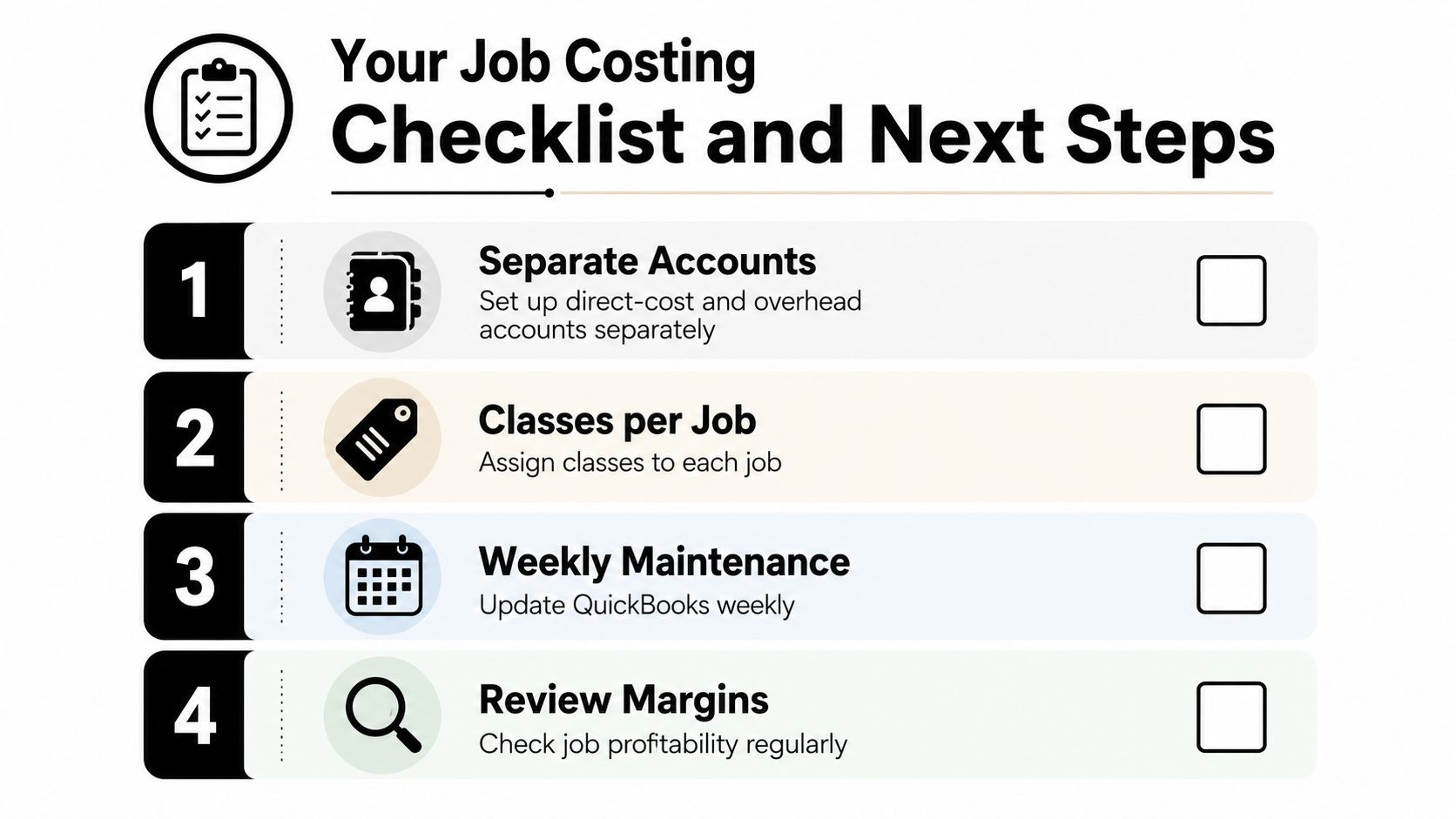
- Separate accounts: Keep direct costs and overhead in different buckets.
- Classes per job: Use cost codes for phases or trades, not departments.
- Weekly maintenance: Update QuickBooks every week, not whenever someone remembers.
- Review margins: Compare actuals to estimates before the job drifts too far.
The Next Three Moves
Reconcile the prior quarter before the file gets messier. Run a current job-margin report and compare each line to the estimate. Then schedule a 90-minute review with a QuickBooks ProAdvisor who understands construction or a fractional CFO if you need margin, bonding, or tax-strategy guidance.
That's the core discipline behind QuickBooks construction job costing. If the structure is clean, the reports help you price better, bill faster, and stay compliant. If it isn't, you're just looking at organized confusion.
Bookkeeping and Accounting of Florida Inc. sets up and maintains QuickBooks for contractors, including chart of accounts cleanup, project coding, payroll tracking, and reporting that's built for construction margins. If your current file isn't showing the truth about labor, retainage, and job profitability, visit Bookkeeping and Accounting of Florida Inc. and get the accounting support that keeps your books compliant and usable.