
Your truck ran all over Jacksonville, St. Augustine, Orange Park, and Fernandina this year. You know it. Your bank account knows it. Your calendar knows it. But if your mileage log is a stack of receipts, a half-finished spreadsheet, and your memory, the IRS does not know it.
Thank you for reading this post, don't forget to subscribe!That is the problem.
A lot of small business owners think mileage tracking is a bookkeeping nuisance. It is not. It is a tax deduction issue, a payroll issue, a reimbursement issue, and in many cases a job-costing issue. If you are in construction, healthcare, retail, or a service business with field staff, poor mileage tracking wrecks clean financials.
Most owners do not lose money because they never drove the miles. They lose money because they cannot prove them.
Why Your Mileage Log Is a Ticking Tax Bomb
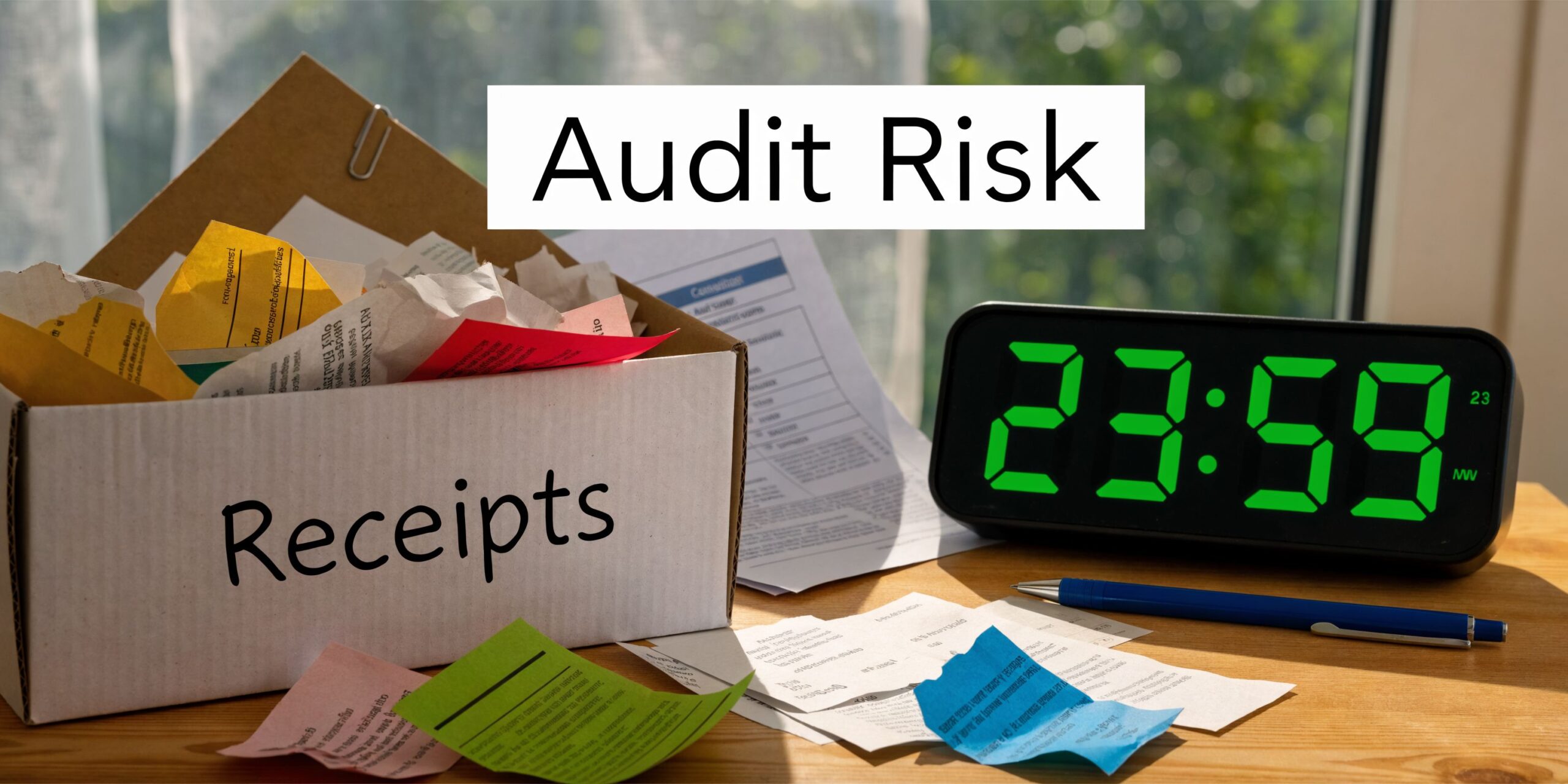
A shoebox full of gas receipts feels productive right up until tax time. Then it turns into a confession.
Receipts do not prove business mileage. A calendar entry does not prove mileage. A vague note that says “client visit” does not prove enough. The IRS wants records that support the deduction.
The money at stake is not small
For tax year 2026, the IRS standard mileage rate for business use is 70 cents per mile, and a vehicle with 50,000 business miles qualifies for a $35,000 deduction, according to this IRS mileage log requirements breakdown.
That is not a rounding error. That is real money.
If your log is incomplete, you risk losing that deduction. Not part of it. Potentially all of it. That is how mileage turns from “admin work” into a tax bomb.
Florida businesses get hit in predictable ways
I see the same bad habits over and over with Florida small businesses.
- Construction owners drive from supplier to job site to office, then mix personal errands into the day and log none of it cleanly.
- Healthcare providers make patient visits, satellite clinic runs, and admin trips but rely on memory later.
- Retail and service businesses let managers use company or personal vehicles without a formal reimbursement or documentation process.
That creates two problems at once. You miss deductions, and you create ugly records if anyone ever asks questions.
A mileage log should do one job well. It should prove where the vehicle went, why it went there, and whether the trip was business or personal.
Bad logs create fake confidence
The dangerous part is that sloppy mileage records often look “good enough” to the owner. They are not good enough to an auditor.
A clean mileage process protects more than your tax return. It helps support reimbursements, payroll treatment, budgeting, and project costing. It also keeps your books from turning into a year-end archaeology dig.
If you want to learn how to track business mileage the right way, start with one rule. Track it as you go, not after the fact. Memory is not an accounting system.
Choosing Your Weapon Manual Logs vs Modern Apps
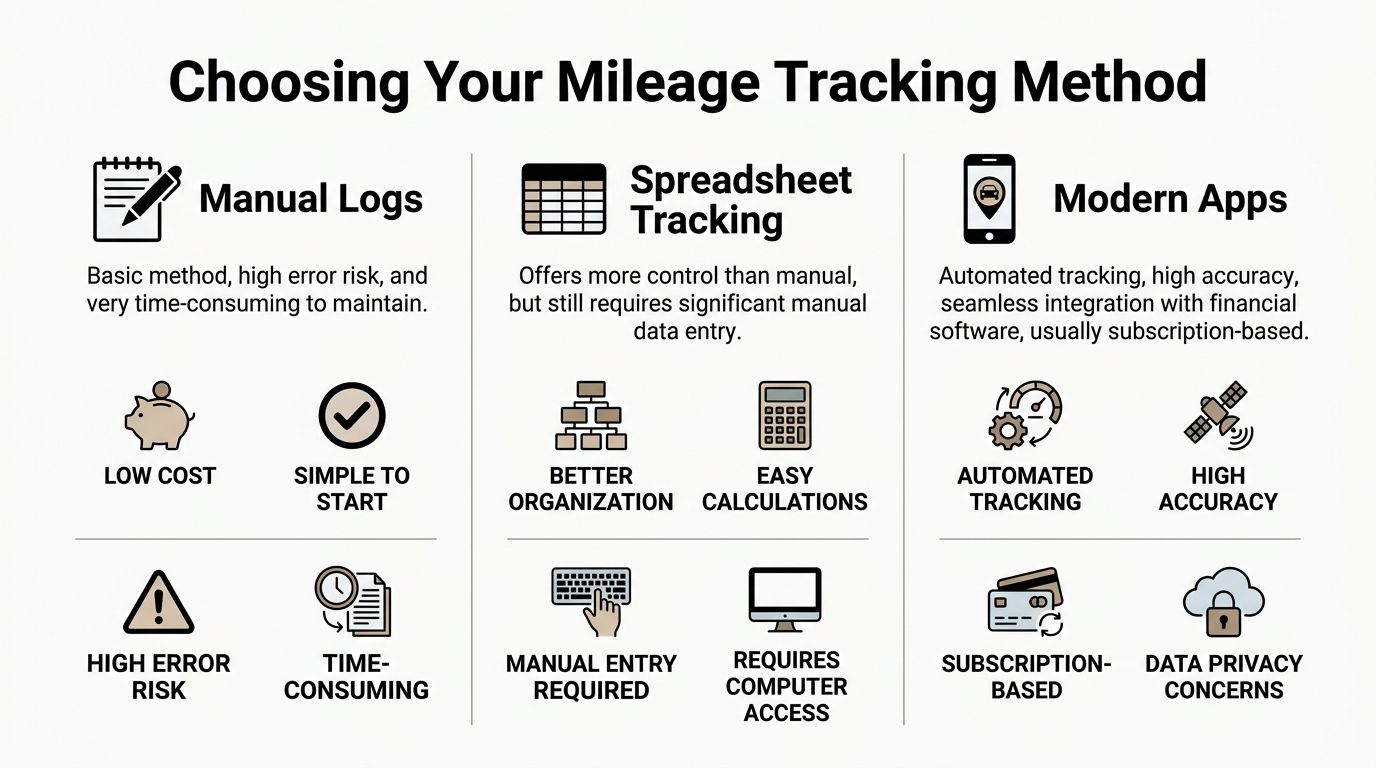
You have three basic choices. Paper logs, spreadsheets, or modern tracking tools.
Only one of those makes sense for a serious business.
Manual logs are cheap until they get expensive
Paper logs look harmless. A notebook in the glove box. A pen. No monthly fee.
Then real life happens.
Drivers forget to write things down. Ink fades. Pages disappear. Dates get reconstructed later. Business purpose gets shortened to nonsense like “meeting” or “work.” If you run one vehicle and drive occasionally, paper can function. If you run a growing company, paper is a trap.
Manual logs depend on discipline. Few teams have the discipline to sustain this system all year.
Spreadsheets are better, but not by much
Spreadsheets feel more organized because they live in the cloud and look tidy on a screen. They still rely on manual entry.
That means someone still has to remember the trip, type the destination, enter the mileage, and classify the purpose correctly. A spreadsheet does not prevent bad inputs. It just stores them neatly.
For owners who want more control than paper but are not ready for software, spreadsheets are a halfway house. Better than nothing. Nowhere near ideal.
Modern apps are the adult option
If you drive regularly for business, use a GPS-based app. That is my recommendation. Clear and simple.
Automated mileage tools save users an average of 42 hours annually on manual entry tasks, and a business owner driving 20,000 miles a year can secure a $14,000 deduction at the 2026 rate with a compliant app-generated log, according to Cardata’s mileage tracking analysis.
Those apps do what people are bad at doing consistently. They track trips in real time, help classify business versus personal use, and generate records you can use.
The side-by-side reality
| Method | Accuracy | Time burden | Audit defensibility | Best use |
|---|---|---|---|---|
| Manual log | Low to inconsistent | High | Weak | Very light solo driving |
| Spreadsheet | Better than paper, still fragile | High | Moderate at best | Small volume, owner-managed |
| Modern app | Strong | Low | Strong | Any business that drives regularly |
What I recommend for different businesses
- Owner-operator with occasional trips. You can survive with a disciplined spreadsheet, but only if you enter every trip promptly and completely.
- Sales, healthcare, or service business. Use an app. You have too many trips, too many stops, and too many chances to forget details.
- Fleet, field crews, or multiple drivers. Consider full vehicle monitoring in addition to mileage software. You need oversight, not hope.
Businesses with multiple vehicles often benefit from broader car tracking solutions that help monitor routes, vehicle movement, and usage patterns alongside mileage documentation. That matters when you are managing dispatch, job sites, or company vehicle policies.
Apps worth considering
Names you will hear often include MileIQ, Everlance, and ExpenseIn. The exact brand matters less than the setup.
Pick a tool that does these things well:
- Automatic trip capture so drivers do not “forget”
- Easy classification between personal and business use
- Exportable reports that accounting can use
- QuickBooks integration or at least clean CSV export
- Admin visibility if you have employees
If your process depends on everyone remembering every trip at the end of the week, your process is broken.
The true cost is not the subscription
Owners love to argue about software fees. They almost never calculate the cost of broken books, denied deductions, payroll corrections, or year-end cleanup.
The cheapest-looking method often becomes the most expensive one. That is especially true when you have employees turning in mileage reimbursements with incomplete support.
So if you are deciding how to track business mileage in 2026, stop treating this like an office-supply decision. It is a compliance decision. Use the tool that creates records you can defend.
Building an IRS-Proof Mileage Record
Most mileage logs fail for a dumb reason. They are incomplete.
People track miles but skip purpose. They note destination but not total miles. They keep business trips but ignore total vehicle use. Then they act surprised when the records do not hold up.
What the IRS expects
The standard is straightforward. Your records need to be adequate, timely, and detailed enough to support the claim.
For each business trip, your log should capture the date, destination, mileage, and business purpose. You also need enough information to support the split between business and personal use.
That last part matters. A business cannot just track claimed business trips in isolation and ignore overall vehicle use. The total-use picture is part of what makes the log credible.
GPS-based mileage apps reduce logging errors by 90-95% compared to spreadsheets and can cut audit disputes by 80% because they capture total miles, including business and personal use, which is a key IRS requirement, according to this discussion of app-based mileage tracking and Publication 463 compliance.
Your minimum trip record
For every business drive, keep these fields:
- Date. The day of travel.
- Start odometer. If you use manual methods, write it down.
- End odometer. Same rule.
- Total miles. The difference between start and end.
- Destination. Where you went.
- Business purpose. Why the trip was necessary for the business.
If your app tracks route and timestamps automatically, great. That strengthens the record. But the business purpose still needs to be classified clearly.
Sample IRS-Compliant Mileage Log
| Date | Start Odometer | End Odometer | Total Miles | Destination | Business Purpose |
|---|---|---|---|---|---|
| 01/08/2026 | 24,110 | 24,138 | 28 | Jacksonville client office | Quarterly review meeting |
| 01/09/2026 | 24,138 | 24,160 | 22 | Medical supply vendor | Purchase inventory for clinic |
| 01/10/2026 | 24,160 | 24,196 | 36 | St. Augustine job site | Site inspection and crew meeting |
Contemporaneous means now, not later
If you wait until month-end to rebuild your mileage log from memory, you are inviting mistakes.
“Contemporaneous” in practice means recorded at or near the time of the trip. Apps do this well because the phone logs the drive when it happens. Humans do this badly because humans are busy.
If you still use manual logs, set one hard rule. Enter the trip the same day.
Support the mileage with good bookkeeping
Mileage records do not live alone. They work better when they match your calendar, invoices, payroll, job records, and expense documentation.
That is one reason organized records matter across the board. If your receipts are chaos too, fix that problem at the same time. This guide on how to organize receipts for taxes is a smart companion process.
A mileage log should not feel heroic. It should feel boring. Boring records win audits.
Connecting Mileage Tracking to QuickBooks and Payroll
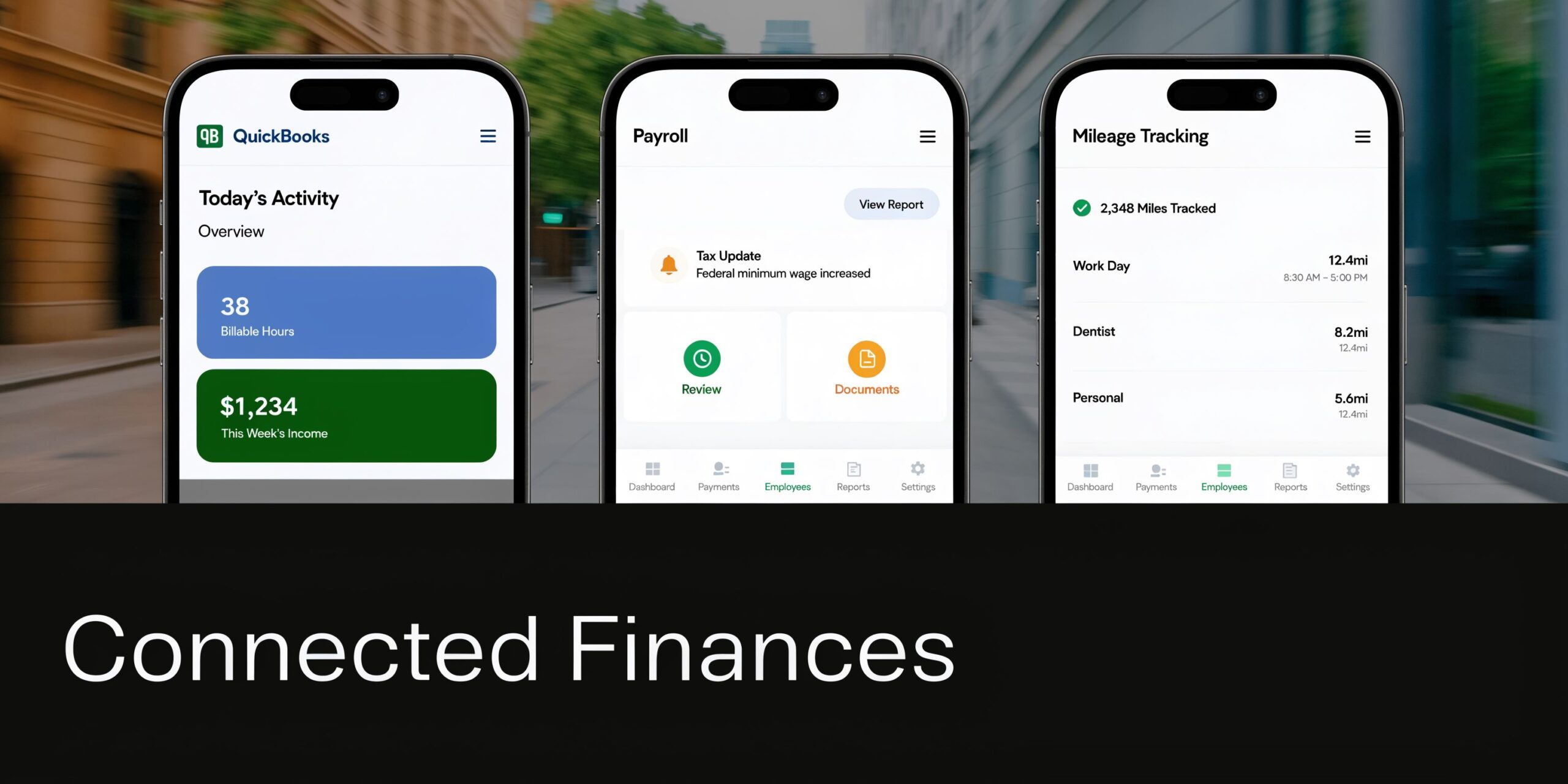
A mileage app by itself is fine. A mileage app disconnected from your books is still wasted potential.
If the data never reaches your accounting system cleanly, you are just collecting digital clutter. The value shows up when mileage flows into job costing, reimbursements, payroll treatment, and management reporting.
Why disconnected systems create messes
A lot of businesses do this backward.
They let employees track miles in one app. Then someone exports a report. Then someone else rekeys totals into QuickBooks. Then payroll handles reimbursements separately. Then the CPA gets a mystery spreadsheet in March and tries to make sense of it.
That is not a system. That is a relay race with dropped batons.
According to Geotab’s discussion of IRS mileage log requirements, 40% of manual logs face disallowance due to missing business purpose or total mileage context. The same source notes that integrating a GPS app with QuickBooks through an API helps ensure compliant data and can reduce year-end CPA costs significantly.
What integration should accomplish
A proper setup should push mileage data where it belongs.
Job costing for construction and trades
If a superintendent drives to three different projects in a day, that mileage should not sit in a generic vehicle expense bucket forever.
It should be assigned to the correct job or customer class. That gives you cleaner project profitability. It also stops owners from underpricing work because vehicle costs are hiding in overhead.
Client profitability for healthcare and field services
A clinic with home visits or satellite locations can use mileage data to understand which services and routes consume time and vehicle use.
That does not replace broader operational analysis. It does add a missing layer of cost visibility that many small businesses never capture.
Reimbursements that do not become payroll problems
Employee mileage reimbursement has to be handled correctly. If your records are sloppy, reimbursements can create tax headaches.
Clean logs support accountable reimbursement treatment. Sloppy logs invite trouble. Owners get burned when they assume “we paid them back” is the same as “we documented it properly.” It is not.
What QuickBooks users should expect
If your team lives in QuickBooks, mileage should not be floating around outside the workflow forever.
Use a setup that allows:
- Trip exports by employee or vehicle
- Coding by customer, class, or job
- Clean reimbursement summaries
- Support for payroll review
- Simple month-end reconciliation
If your QuickBooks file is already cluttered, fix that first. These QuickBooks tips and tricks help business owners understand where clean workflows start.
A short walkthrough helps if you are visual. This video gives a useful look at QuickBooks workflow basics around mobile business tracking and related admin tasks.
The fractional CFO angle owners miss
Most small businesses do not need more raw data. They need someone to turn that data into decisions.
That is why mileage should be treated as part of a bigger finance system. A fractional CFO or experienced accounting lead can set policies, choose the right tools, map the data into QuickBooks, and make sure reimbursements, books, and tax records all agree.
That is how you stay compliant without drowning in admin.
If your mileage process ends with “export report and hope accounting figures it out,” you do not have a finished process.
Mileage Tips for Florida's Key Industries
Generic mileage advice is usually written for generic businesses. Florida businesses are not generic.
Healthcare, construction, and non-profits in Northeast Florida run into mixed-use vehicles, scattered job locations, staff reimbursements, and messy field activity. That is where bad habits creep in.
Florida-specific mistake owners make
Florida follows the federal standard mileage framework, but one nuance trips people up. Florida sales tax on vehicle repairs is not separately deductible when you use the standard mileage method, as noted in this mileage log requirements guide with Florida-specific context.
Owners double-dip on this all the time. They use the standard mileage method and then try to separately pile in repair-related sales tax as if it sits outside that method. That is the kind of avoidable error that makes a preparer grumpy and an auditor curious.
Audit red flags to avoid
Keep this checklist handy.
- Mixed-use vehicle confusion. If the same vehicle handles business and personal driving, the log must show a clean separation.
- Missing business purpose. “Errands” is not a business purpose. “Delivered supplies to Jacksonville clinic” is.
- Job sites with no project tie-in. Construction companies should connect trips to specific jobs whenever possible.
- Employee reimbursement without support. Paying people back without a proper log is not a policy. It is wishful thinking.
- Repair costs handled inconsistently. Do not mix methods casually.
Healthcare practices and home visits
Healthcare owners often undertrack mileage because the work feels routine. A nurse drives to a patient home. A manager runs between offices. A physician goes to an outreach location.
Nobody thinks to classify the trip carefully because everyone is busy taking care of patients.
That is exactly why healthcare practices need a strict process.
What to do
Use app-based tracking for any staff member making regular off-site visits. Require the trip purpose to reference the patient visit category, clinic support task, or admin reason. Review logs monthly, not once a year when everyone has forgotten everything.
What not to do
Do not let staff submit a monthly total with no underlying trip detail. That is not a mileage log. That is a guess with confidence.
Construction companies and job costing
Construction businesses have the most to gain from good mileage tracking because vehicles move constantly and job profitability is easy to distort.
A project manager might hit a supply house, one active site, another active site, then the office. If all that mileage lands in one generic expense account, your job-cost reports lie.
Better practice
Tag trips to the project or customer whenever possible. If one day includes multiple jobs, split the mileage by trip sequence. Keep the business purpose specific. “Site walk at Riverside renovation” beats “construction meeting.”
Why this matters
Good job-costing depends on complete field cost capture. Vehicle use is part of field cost. Ignore it and your gross margin analysis gets fuzzy fast.
Non-profits and mission travel
Non-profits often have a different problem. The mission is strong. The documentation is weak.
Staff drive to events, donor meetings, outreach programs, or service locations. Volunteers may also drive in support of the organization. If the process is informal, reimbursements become inconsistent and records get thin.
Clean nonprofit habits
- Require the same trip-level detail you would require in a for-profit business.
- Separate employee reimbursements from volunteer support clearly in your records.
- Match mileage records to programs, grants, or admin functions where relevant.
That helps with clean books and cleaner reporting. It also helps leadership explain where resources go.
Service businesses with owner-driven vehicles
Plumbers, consultants, real estate-related service firms, and mobile repair companies often rely on owner vehicles without a formal policy.
That usually means one ugly sentence at tax time. “I drove a lot for work this year.”
That sentence is useless without support.
For these businesses, the best answer is simple. Use an app. Review the reports every month. Push the totals into the books consistently. If the owner also uses the vehicle personally, keep the split visible and current.
The most dangerous mileage system is the one that works “pretty well” until the year you need to prove it.
Florida reality check
Florida businesses drive. A lot. Wide service areas, spread-out clients, and constant field work make mileage a real operating cost, not a side note.
That is why how to track business mileage is not just a tax question in this state. It is a management question. The businesses that handle it well usually have cleaner books, clearer job costs, and fewer year-end surprises.
Stop Tracking and Start Strategizing Your Next Step
Mileage tracking is not the finish line. It is the first clean input in a smarter financial system.
Once the data is accurate, you can do something useful with it. You can price jobs better. You can clean up reimbursements. You can spot which routes, territories, or service calls are worth the time. You can stop guessing at vehicle-related costs.
DIY works until complexity shows up
A single owner with one vehicle can limp along for a while.
But once you add employees, multiple jobs, payroll reimbursements, QuickBooks integration, or mixed-use vehicles, the DIY approach starts breaking down. Not because you are careless. Because you are running a business, not a mileage lab.
That is where outside guidance matters. Small businesses need more than data entry. They need policy, process, review, and someone who notices problems before the tax return turns them into expensive surprises.
Use the data for operations, not just tax prep
Mileage data has operational value when you use it.
Dispatch-heavy businesses can pair trip records with routing and scheduling workflows. If your team manages field crews or deliveries, a practical dispatch guide can help you think beyond tax compliance and into day-to-day execution.
That is the bigger point. Good financial systems do not just document what happened. They help you run what happens next.
Most small businesses need guidance, not more apps
Software is useful. It is not self-managing.
Apps do not decide reimbursement policy. Apps do not clean up your QuickBooks file. Apps do not tell you when your records conflict with payroll or when your books are masking job losses. A strong bookkeeper and a capable fractional CFO do that.
If you are still handling this with scattered spreadsheets and year-end guesswork, bring in help before the problem gets larger. If you are not sure what kind of support to bring in, start with this guide on how to hire a bookkeeper.
The right advisor saves you time, protects compliance, and gives you usable financial information. That is a much better deal than trying to reconstruct twelve months of driving from your phone map history and blind optimism.
Mileage tracking should be boring, accurate, and automatic. If it is stressful, your system is wrong.
If your business needs clean mileage tracking, compliant books, payroll support, QuickBooks setup, or fractional CFO guidance, talk to Bookkeeping and Accounting of Florida Inc.. Our Jacksonville team helps Florida businesses build accurate financial systems that hold up under scrutiny and support smarter decisions year-round.