

Unreliable QuickBooks data doesn't just make tax season unpleasant. It can leave an owner unsure whether cash is available, payroll liabilities are recorded correctly, tax categories are defensible, or a profit-and-loss report reflects the business at all. A cleanup is therefore more than deleting duplicates and clearing an old bank feed. It's a controlled process that moves from source documents and transaction accuracy to reporting, tax readiness, and ongoing financial oversight.
Thank you for reading this post, don't forget to subscribe!This QuickBooks cleanup checklist prioritizes eight high-value steps. Each step includes a practical priority and an estimated time range, but the actual effort depends on the number of accounts, transactions, unreconciled periods, integrations, and prior errors in the file. The sequence follows the staged logic of Intuit's own 12-step bookkeeping cleanup process, which begins with gathering financial records and ends with backing up the data, as described in Intuit's QuickBooks cleanup guidance.
Bookkeeping and Accounting of Florida Inc. is a Jacksonville-based, full-service CPA firm providing bookkeeping, tax preparation, payroll, QuickBooks ProAdvisor support, audits, and fractional CFO guidance. For small businesses, healthcare practices, construction companies, retailers, nonprofits, and growing companies across Northeast Florida, the firm helps turn scattered records into usable financial information and supports owners who need help staying compliant. The workflow below starts with the accounts that affect cash, then addresses coding, assets, payroll, debt, equity, and the controls that keep the same mess from returning.
1. Reconcile All Bank and Credit Card Accounts
Priority: Critical
Estimated time: A few hours for a simple file, longer when several periods or accounts remain unresolved.
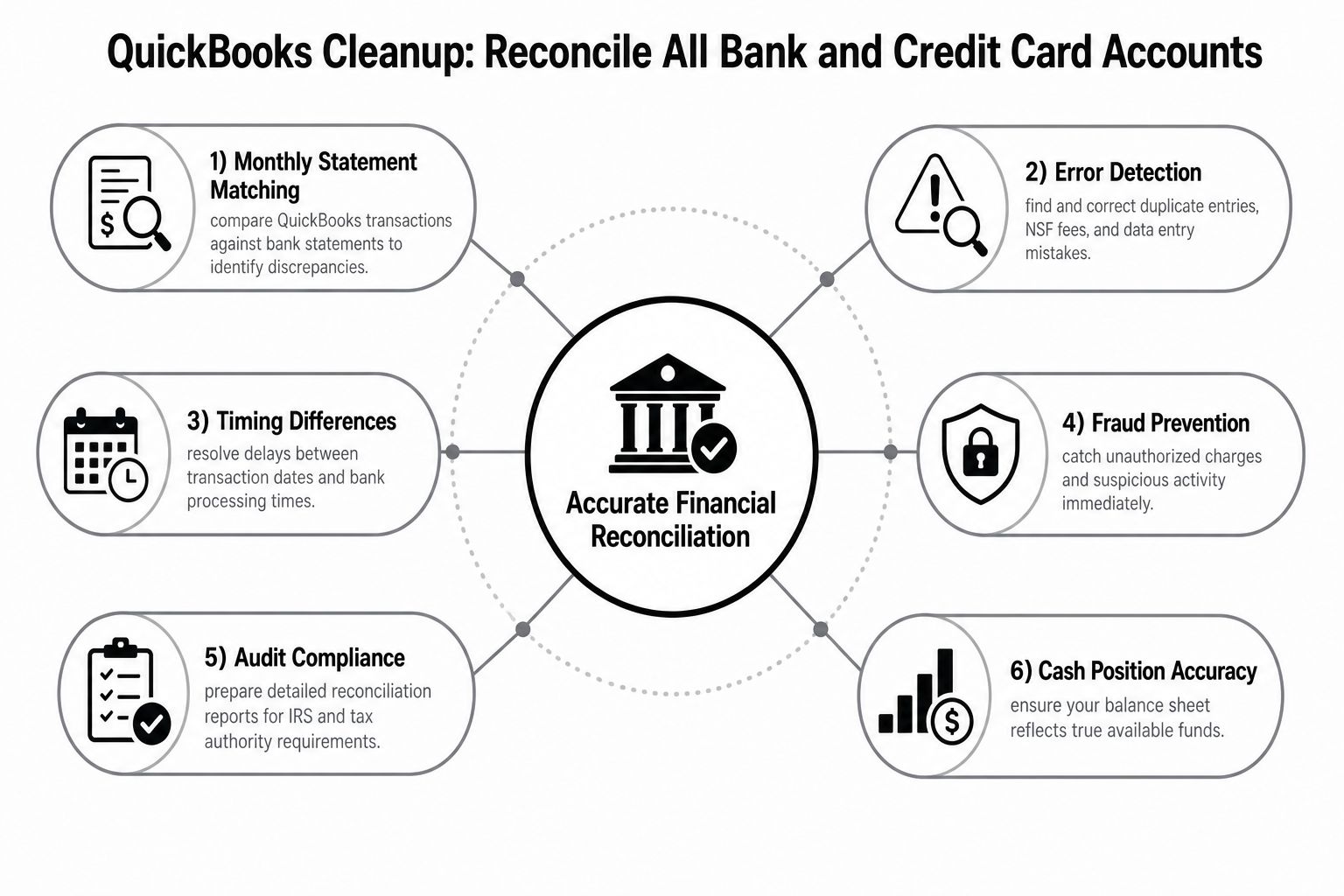
Bank and credit card reconciliation is the first practical test of whether QuickBooks reflects reality. Compare the transactions in QuickBooks with statements from every operating account, savings account, credit card, line of credit, and payment account. Check deposits, checks, electronic withdrawals, transfers, service fees, interest, and outstanding items instead of forcing the reconciliation to match with an unexplained adjustment.
A broken reconciliation can distort much more than the cash balance. Unrecorded deposits may hide revenue, duplicate bank-feed entries can inflate expenses, and personal charges mixed into business credit cards can contaminate tax reporting. Unreconciled balances also weaken the documentation behind reports used for tax filing, lender review, and management decisions. The IRS correction process requires replacement filings for failed submissions and correction files tied to the original report's sequence numbers, which makes traceable records and a documented correction trail important when errors affect filed information. See the IRS error-correction requirements before changing historical payroll or information-reporting records.
Work from statements, not assumptions
Start with the oldest unresolved period and maintain a reconciliation log. A useful review should include:
- Bank-feed review: Match downloaded transactions to source statements rather than accepting every automatic suggestion.
- Outstanding-item follow-up: Investigate old checks, deposits, and transfers instead of allowing them to remain indefinitely.
- Credit card separation: Reconcile each card independently so business charges, personal charges, payments, fees, and interest remain visible.
- Documentation retention: Store statements and supporting records in an organized monthly system that another reviewer can follow.
Businesses that need more detail can use this guide to reconcile bank accounts in QuickBooks. A nonprofit may also need specialized procedures to reconcile nonprofit bank accounts, particularly when restricted funds or grant activity require separate tracking.
Practical rule: Never use a reconciliation adjustment to hide a difference you haven't explained.
QuickBooks bank feeds save data-entry time, but they don't replace review. A QuickBooks ProAdvisor can help identify whether a mismatch came from a duplicate import, an incorrect opening balance, a transfer posted as income, or a transaction recorded in the wrong account. That distinction matters because the fastest fix isn't always the safest fix.
2. Audit and Correct the Chart of Accounts Structure
Priority: High
Estimated time: Several hours for a focused review, with more time for a redesign or industry-specific conversion.
The Chart of Accounts determines how every transaction appears in financial statements and tax workpapers. If it contains overlapping categories, vague names, or accounts no one uses consistently, the reports may be technically complete but practically useless. A long list isn't automatically a detailed list. It may just be a record of inconsistent decisions.
Review account names, account types, parent-and-subaccount relationships, inactive accounts, and the categories used by bank rules and connected systems. Consolidate duplicates carefully, but don't delete historical accounts or transactions without understanding how the change will affect prior reports. The cleaner approach is usually to archive obsolete accounts after documenting the replacement structure.
Build the structure around decisions
A Jacksonville healthcare practice may need clear distinctions among clinical supplies, administrative supplies, equipment, and facility costs. A construction company may need job-costing categories that separate materials, subcontractors, equipment, and project labor. A nonprofit may need reporting that distinguishes unrestricted and restricted activity. The correct design depends on the organization's tax filing, management reporting, industry requirements, and funding or lender obligations.
Use a written account guide so staff know where transactions belong. Keep names concise and descriptive, avoid dumping unrelated purchases into “Miscellaneous,” and separate operating expenses from capital purchases. The QuickBooks Chart of Accounts setup service can help align the structure with the business's reporting and tax needs.
Keep tax readiness in view
Tax law changes should be reviewed alongside the account structure, not after the books are closed. For projected 2026 tax filings, the standard deduction is listed as $16,100 for single filers and $32,200 for married couples filing jointly, while the Section 179 expensing limit is listed as $2,560,000 in Thomson Reuters' summary of upcoming tax changes. Those figures don't tell you how every transaction should be coded, but they show why asset purchases, deductions, and tax-sensitive categories need CPA review.
A ProAdvisor can redesign the Chart of Accounts without turning the file into an accounting museum. The best structure is the simplest one that produces accurate tax reports and useful management information.
3. Review and Reclassify Suspicious, Undeposited, or Misclassified Transactions
Priority: High
Estimated time: One working day for a modest transaction history, potentially much longer for several years of activity.
Misclassified transactions are where many QuickBooks files lose their reliability. A transfer coded as revenue inflates income. A loan draw recorded as sales creates a tax problem. A personal vehicle charge coded to a job may appear to improve project margins while weakening the deduction's support. An item sitting in Undeposited Funds can make the bank balance and sales reports disagree.
Use QuickBooks reports such as Transaction Detail by Account and Transaction List by Date to sort activity by account, payee, date, and amount. Exporting the ledger to Excel can help identify repeated amounts, unexplained round-dollar entries, weekend transactions, duplicate deposits, and activity posted to an unexpected account. Every correction should have a source document and a note explaining what changed and why.
Investigate before reclassifying
A suspicious transaction isn't necessarily an incorrect transaction. A large payment may be a valid equipment purchase, an owner contribution, a customer deposit, or a loan payment. Review the invoice, receipt, check stub, bank description, agreement, or other supporting record before moving it.
Pay special attention to:
- Undeposited Funds: Match each item to the related deposit and clear it through the actual bank transaction.
- Transfers: Confirm both sides of the transfer and make sure neither side is revenue or an expense.
- Personal activity: Reclassify personal charges to the appropriate owner or shareholder account after consulting the tax professional.
- Large entries: Require documentation before changing a material transaction.
- Correction history: Maintain a corrections log so a future reviewer can trace the adjustment.

A clean correction is supported by evidence. A quick reclassification based only on how an entry “looks” can create a new problem while hiding the old one.
Don't make retroactive tax-sensitive changes casually. A CPA or QuickBooks ProAdvisor should determine whether an adjustment affects a filed return, payroll report, sales tax filing, or owner tax statement. Bookkeeping and Accounting of Florida Inc. can provide the transaction review, documentation process, and professional guidance needed to make the records usable rather than merely tidy.
4. Eliminate and Consolidate Duplicate Accounts, Vendors, and Customers
Priority: Medium to high
Estimated time: A few hours for a small list, with additional review when vendor, customer, or payment history is extensive.
Duplicate records fragment information. One supplier may appear under several spellings, while the same customer may have separate profiles for different locations or employees. The result is incomplete spending analysis, scattered customer balances, confusing aging reports, and unreliable answers to simple questions such as, “How much did we pay this vendor?”
Start with the vendor and customer lists, then compare names, addresses, tax IDs, contact information, payment terms, and transaction history. Don't merge records merely because the names look similar. Confirm that they represent the same legal or commercial party, especially when related companies, franchises, or multiple job sites are involved.
Merge with a naming standard
Establish the naming convention before consolidating records. A consistent format such as vendor name followed by city can help staff select the correct record, but the right convention depends on how the business searches, pays, reports, and files documents. The important point is consistency.
- Master list: Maintain one approved vendor and customer list.
- New-record control: Require staff to search before creating a new entry.
- Tax details: Verify tax IDs and addresses before consolidating vendor records.
- Transaction history: Merge records where the accounting system supports it instead of deleting history and re-entering transactions.
- Payment setup: Confirm that the surviving record contains the correct payment method and contact details.
A construction company with several crews or job sites should pay particular attention to suppliers entered by individual employees. A healthcare practice may need to distinguish insurers, service providers, and clinical vendors without creating near-identical records. A retailer should review customer duplicates that could split receivables or obscure repeat purchasing patterns.
Before you merge: Export the relevant vendor, customer, and account reports so you have a reviewable record of the pre-cleanup state.
QuickBooks tools can assist with duplicate detection, but automation can't determine whether two similar names represent the same entity. That decision requires context. A ProAdvisor can perform the consolidation while protecting transaction history and the reporting relationships that depend on those records.
5. Reconcile Fixed Assets and Depreciation Records
Priority: High for asset-heavy businesses
Estimated time: Several hours for a focused asset review, plus CPA or tax-accountant time for depreciation decisions.
Fixed assets deserve a separate review because they affect both the balance sheet and tax reporting. Compare the QuickBooks asset accounts with purchase invoices, proof of payment, financing documents, physical records, and disposal documentation. Look for equipment that was expensed incorrectly, assets that were never entered, vehicles still on the books after sale, and accumulated depreciation that doesn't agree with the tax workpapers.
A healthcare clinic may own medical equipment with specialized useful lives. A construction company may have vehicles, tools, and job-site equipment moving between projects. A nonprofit may need a clear record of facility assets for audit and grant reporting. The accounting treatment must reflect the asset's nature, purchase date, business use, financing, disposal, and applicable tax rules.
Separate bookkeeping from tax judgment
Bookkeeping should preserve the purchase and disposal trail. The CPA or tax professional should evaluate depreciation methods, Section 179 eligibility, bonus depreciation, business-use limitations, and whether an amended filing is needed. For 2026 tax planning, the Section 179 limit is listed as $2,560,000 by Thomson Reuters, but the existence of a limit doesn't mean every purchase qualifies or that immediate expensing is always the best choice.
Create an asset register with the purchase date, description, location, serial number, cost, financing, business-use information, and disposal status. Keep disposal records that show whether an asset was sold, donated, scrapped, or traded. An asset that disappeared physically but remains in QuickBooks can overstate the balance sheet; an asset that never entered the file can hide depreciation and distort operating results.
Use fixed asset tracking support from Bookkeeping and Accounting of Florida Inc. when the file includes multiple asset classes, prior depreciation errors, or tax-sensitive purchases. This is an area where a tidy spreadsheet alone isn't a substitute for professional review.
6. Verify and Update Payroll Records and Tax Compliance
Priority: Critical
Estimated time: Several hours for a single payroll system, with more time when providers, classifications, or filing periods changed.
Payroll errors create immediate exposure because the records connect employee pay, tax deposits, payroll liabilities, filed returns, and year-end forms. Compare QuickBooks payroll reports with processor reports, bank withdrawals, federal and state confirmations, liability balances, and filed returns. Review employee setup, withholding information, deductions, benefits, garnishments, contractor payments, and manual journal entries.
The IRS Publication 334 figures for 2026 include a $184,500 maximum of net self-employment earnings subject to the Social Security portion of self-employment tax and a 72.5-cent standard business mileage rate, as reported in IRS Publication 334. Those figures are useful reconciliation checkpoints, not a substitute for reviewing the taxpayer's complete circumstances or current filing instructions.
Treat payroll liabilities as real obligations
A liability account that doesn't agree with payroll reports deserves investigation. Match deposits to the correct periods, confirm federal and state filings were submitted, and review whether payroll entries were duplicated when a business changed providers. For independent contractors, preserve payment records and evaluate whether the worker classification and information reporting are correct.
- Employee records: Keep required employment and work-authorization documentation current.
- Payroll filings: Confirm quarterly payroll returns and annual wage statements agree with the ledger.
- Contractor reporting: Reconcile eligible contractor payments and payment-platform activity before filing.
- Deductions: Verify health insurance, retirement, garnishments, and other deductions against processor records.
- Classification: Ask a tax professional about employee, contractor, temporary, and owner-worker treatment.
Payment-platform reconciliation also matters. A 2026 small-business tax summary says Form 1099-K reporting applies when a business exceeds both $20,000 in gross payments and 200 transactions during a calendar year, as described by Extensis HR's 2026 tax summary. Use the applicable IRS guidance and your tax professional to determine how that rule affects your business.
Bookkeeping and Accounting of Florida Inc. can connect bookkeeping, payroll support, tax preparation, and ProAdvisor services so payroll corrections don't sit in isolation from the rest of the books. Small businesses often need someone to guide the process because compliance requirements extend beyond clicking “run payroll.”
7. Audit and Reconcile Loan Balances and Debt Records
Priority: High for financed businesses
Estimated time: A few hours for one or two loans, with additional work for equipment financing, credit lines, or covenant reporting.
Loan balances should agree with lender statements, not with an old QuickBooks balance that happens to look reasonable. Gather every note, statement, amortization schedule, draw record, payoff document, and refinancing agreement. Then separate principal, interest, fees, new draws, and extra principal payments.
A common error is recording loan proceeds as income. Another is recording the full payment as interest expense, which understates the liability and overstates expenses. A revolving credit line can create a similar problem when draws and repayments are entered inconsistently. These errors distort net income, cash flow, debt-to-equity analysis, and lender reporting.
Build a debt schedule
Create a schedule that lists each loan, lender, original amount, current balance, interest rate, payment, maturity date, collateral, and reporting requirements. Use it to compare QuickBooks balances with lender statements and to identify missing accrued interest or unrecorded draws.
- Proceeds: Record new borrowing as a liability increase, not revenue.
- Payments: Split principal and interest according to the lender's schedule.
- Credit lines: Reconcile draws and repayments monthly.
- Covenants: Review minimum cash, leverage, and other requirements in the loan documents.
- Refinancing: Remove or reclassify old debt only after confirming the payoff and replacement entries.
A construction company with equipment loans may need debt records tied to vehicles or machinery. A healthcare practice may need to separate facility financing from equipment debt. A business preparing for refinancing, an SBA loan, or an investor review should complete this step before distributing financial statements.
Lender reports are decision documents. If the debt schedule and QuickBooks balance disagree, don't send the report until someone explains the difference.
A fractional CFO can add value here by connecting debt reconciliation to borrowing capacity, cash-flow planning, repayment strategy, and lender communication. Fractional CFO services generally provide senior financial leadership on a part-time or outsourced basis, and one accounting source describes access as roughly 10% to 20% of the cost of a full-time hire, a comparison discussed by Perkins Accounting. The right level of support depends on the company's needs, but debt decisions often require more than data entry.
8. Review and Reconcile Equity Accounts and Owner Distributions
Priority: High for owner-managed and pass-through businesses
Estimated time: Several hours for a straightforward company, longer when owner activity has been mixed with expenses or payroll.
Equity accounts explain how owners funded the business, received money from it, and shared its results. Review owner contributions, distributions, retained earnings, shareholder loans, partner capital, and prior-period adjustments. Compare current balances with formation documents, prior-year financial statements, tax returns, and owner tax workpapers.
Personal spending is often the source of confusion. A business payment made for an owner's personal obligation isn't automatically a business expense. A distribution isn't automatically payroll. An officer loan isn't the same as a capital contribution. The correct treatment depends on the entity type, governing documents, tax advice, repayment terms, and the facts behind the transaction.
Keep owner activity separate
Create individual equity subaccounts for multiple owners and document each contribution or distribution. Track loans separately with written terms, dates, amounts, repayment expectations, and interest treatment where appropriate. For S corporations, partnerships, and other pass-through structures, reconcile equity activity to K-1 reporting and the owner's basis workpapers.
- Contributions: Support each capital contribution with a bank record and clear description.
- Distributions: Confirm that withdrawals comply with the business structure and operating documents.
- Salary: Keep compensation separate from owner distributions and personal expenses.
- K-1 reporting: Reconcile pass-through equity accounts before tax returns are finalized.
- Retained earnings: Investigate unexplained prior-year balances rather than forcing them to zero.
A healthcare partnership with multiple owners may need detailed capital tracking. A construction company may need separate equity records for owners with different contribution and distribution arrangements. A nonprofit doesn't have owner equity in the same sense, but it still needs accurate net-asset and restricted-fund reporting.
Review equity at least as part of each major close, and ask the CPA before changing prior-period entries. Equity mistakes can affect tax returns, owner statements, financing, due diligence, and a potential sale. Clean books help owners understand the business, but professional guidance helps ensure the entries match the legal and tax reality.
8-Point QuickBooks Cleanup Comparison
| Task | Implementation Complexity 🔄 | Resource & Time Requirements ⚡ | Expected Outcomes 📊 | Ideal Use Cases 💡 | Key Advantages ⭐ |
|---|---|---|---|---|---|
| Reconcile All Bank and Credit Card Accounts | Medium, routine but detail‑oriented 🔄 | Ongoing monthly effort; moderate staff/time; automation reduces manual work ⚡ | Accurate cash position, fraud detection, audit‑ready records 📊 ⭐⭐⭐⭐⭐ | All businesses; critical for healthcare, construction, retail | Reliable balances, fewer year‑end adjustments, compliance |
| Audit and Correct Chart of Accounts Structure | High, planning and reclassification required 🔄 | One‑time intensive project plus periodic reviews; needs accounting expertise ⚡ | Streamlined financial reporting, lower tax prep costs, scalable charts 📊 ⭐⭐⭐⭐ | Businesses with bloated charts, job costing needs, non‑profits | Clear reporting, tax alignment, easier analysis |
| Review & Reclassify Suspicious / Undeposited / Misclassified Transactions | High, forensic, line‑by‑line review 🔄 | Time‑intensive; requires documentation gathering and expert review; may span multiple years ⚡ | Restored transaction accuracy, reduced audit risk, tax savings 📊 ⭐⭐⭐⭐ | Files with Undeposited Funds, suspected misclassifications or fraud | Detects misstatements, clears cash position, strengthens audit defense |
| Eliminate & Consolidate Duplicate Accounts, Vendors, Customers | Medium, careful merges to preserve history 🔄 | Moderate effort; use tools and backups; testing advised before production ⚡ | Clean master data, improved reporting, faster QuickBooks performance 📊 ⭐⭐⭐⭐ | Multi‑location businesses, high vendor/customer volume, slow QB files | Accurate spend/customer analysis, faster system, better 1099 tracking |
| Reconcile & Clear Fixed Assets and Depreciation Records | High, tax and physical verification required 🔄 | Significant time for physical inventory and recalculation; tax specialist recommended ⚡ | Correct asset values, compliant depreciation, optimized tax position 📊 ⭐⭐⭐⭐ | Asset‑heavy businesses (healthcare, construction) | Maximizes deductions, prevents depreciation errors, audit defensibility |
| Verify & Update Payroll Records and Tax Compliance | High, complex regulations and filings 🔄 | Ongoing monthly reconciliation; may require amended returns and payroll specialist ⚡ | Accurate payroll tax reporting, avoided penalties, compliant filings 📊 ⭐⭐⭐⭐⭐ | Businesses with many employees/contractors; construction, healthcare | Prevents payroll penalties, ensures correct withholding and classification |
| Audit & Reconcile Loan Balances and Debt Records | Medium‑High, multiple lenders and amortization work 🔄 | Moderate effort to collect statements and set amort schedules; may need lender docs ⚡ | Accurate debt reporting, covenant compliance, improved refinancing prospects 📊 ⭐⭐⭐⭐ | Companies with multiple loans, seeking credit or monitoring covenants | Prevents covenant breaches, clarifies debt service and cash planning |
| Review & Reconcile Equity Accounts and Owner Distributions | High, ownership structure and tax implications 🔄 | Moderate‑high; requires documentation of contributions/distributions and possible retro adjustments ⚡ | Correct K‑1s/owner basis, accurate equity section, cleaner valuations 📊 ⭐⭐⭐⭐ | Pass‑through entities, multi‑owner businesses, sale/refinance prep | Ensures accurate owner reporting, supports tax filing and due diligence |
Turn a One-Time Cleanup Into Ongoing Financial Control
A cleanup is successful only when the same errors stop returning. The priority sequence is straightforward: reconcile bank and credit card accounts, correct transaction coding, simplify the Chart of Accounts and master records, verify fixed assets and payroll, reconcile tax-sensitive balances, then review debt and equity. Intuit's own cleanup framework ends with backing up the data, reinforcing the need to preserve the corrected file and its supporting records rather than treating the cleanup as a disposable exercise. You can review that sequence in Intuit's bookkeeping cleanup process.
Document every adjustment with its date, source document, account affected, reason, and reviewer. Export key reports before making major changes, preserve the audit trail, and confirm prior-period corrections with a CPA or tax professional before posting them. Don't erase history because an account looks untidy. Deleting entries can remove evidence, alter reconciliations, and create a new gap between the books and filed returns.
The next control is a closing process. Set a regular month-end review for reconciliations, uncategorized transactions, accounts receivable, accounts payable, payroll liabilities, payment-platform clearing, debt, and owner activity. Review bank rules and integrations because an active automation error can recreate the same misclassification immediately after cleanup. Decide who approves new vendors, new accounts, unusual transactions, and manual journal entries.
Tax rules and business operations change, so a file that is accurate today still needs periodic professional review. The 2026 deduction, asset-expensing, self-employment, mileage, and payment-reporting figures cited above show why tax-sensitive bookkeeping can't rely on last year's habits. A business also changes when it hires employees, adds financing, opens locations, adopts a payment platform, changes entity structure, or expands into a regulated industry.
Bookkeeping and Accounting of Florida Inc. supports small and midsize companies with QuickBooks cleanup, catch-up bookkeeping, tax preparation, payroll, audits, reviews, healthcare accounting, forensic audits, and certified QuickBooks ProAdvisor services. The Jacksonville-based firm works with healthcare practices, construction and trades companies, retailers, nonprofits, entrepreneurs, and startups across Northeast Florida. Its fractional CFO services give owners access to senior financial guidance without adding a full-time CFO position, helping connect accurate books to cash-flow planning, reporting, compliance deadlines, and business decisions.
Clean records are the starting point, not the final product. Whether you're evaluating a QuickBooks manufacturing integration, preparing for financing, or trying to understand why cash and profit don't seem to agree, the right accounting process should make the answer easier to find.
Bookkeeping and Accounting of Florida Inc. offers QuickBooks cleanup, ongoing bookkeeping, tax preparation, payroll support, certified ProAdvisor guidance, and fractional CFO services for businesses that need accurate records and help staying compliant. Visit Bookkeeping and Accounting of Florida Inc. to schedule a consultation and discuss the cleanup, reporting, and financial guidance your business needs.