
You open QuickBooks Online after a long week and find a familiar mess: bank feeds waiting for review, receipts in several inboxes, an owner payment coded as an expense, and no confidence that the profit figure reflects reality. Many founders treat accounting software like a digital shoebox. They connect every account, accept suggested categories, and hope their CPA can repair the file before tax season.
Thank you for reading this post, don't forget to subscribe!That approach creates avoidable risk. A proper QuickBooks Online setup establishes the company file, tax settings, chart of accounts, opening balances, bank feeds, payroll, and reporting rules before bad data spreads. The software can record history and automate entries, but it can't decide whether your entity classification, owner-pay records, or payroll reporting are correct. For a growing business, clean books aren't an administrative luxury. They're the operating foundation for compliance, cash-flow control, and informed decisions.
Why Your Initial Configuration Dictates Financial Success
A messy spreadsheet can hide a problem for months. So can a QuickBooks Online file with generic income categories, unreviewed bank-feed matches, and no clear separation between business transactions and owner activity. The owner may see a positive bank balance and assume the business is healthy, while unpaid invoices, payroll obligations, taxes, and poorly classified costs tell a different story.
QuickBooks Online became an established cloud accounting product well before cloud bookkeeping became mainstream. It launched in 2000, and Intuit reported 215,000 paid subscribers and $1.3 trillion in expenses logged by its 2011 milestone. Those figures come from Intuit's account of QuickBooks Online's early success. The lesson isn't that the software replaces judgment. It's that a mature platform still depends on the quality of the financial structure a business gives it.

The file must answer business questions
A useful accounting file should help you answer questions such as:
- Cash position: Which cash is available, and which obligations will consume it?
- Profitability: Which services, projects, or locations produce acceptable margins?
- Receivables: Which customers owe money, and how long has it been outstanding?
- Compliance: Are sales tax, payroll, income, and owner records classified for their actual reporting requirements?
- Planning: Can you make a hiring, pricing, or financing decision from the reports?
A default file rarely answers those questions well. A construction company needs job-costing discipline. A healthcare practice may need departments and payroll detail. A nonprofit needs accounting practices that respect restricted funds and reporting obligations. Owners working in that environment can also consult these best practices for QuickBooks nonprofits when designing a file around nonprofit reporting needs.
Practical rule: If your chart of accounts and transaction rules don't reflect how the business earns and spends money, your reports will be precise but misleading.
Compliance starts before tax preparation
Most small-business owners aren't trained to identify every required record, filing input, payroll distinction, or reconciliation issue. That's normal. It becomes dangerous only when the business assumes that QuickBooks will infer the correct treatment from a bank description.
The platform records what users enter and what connected systems send. It doesn't know whether a payment is an owner draw, a reimbursable expense, a loan repayment, or a personal charge unless the file and the workflow tell it. It won't fix an incorrect opening balance just because the bank feed later produces a matching transaction.
Intuit's international rollout also illustrates why standardized onboarding matters. In 2013, Intuit announced a new QuickBooks Online experience for new users in late October and existing users in more than 100 countries beginning in 2014, with pricing of $12.99 per month or $124.99 per year after a 30-day trial. The announcement is available in Intuit's rollout notice. Broad availability makes access easier, but it doesn't remove the need for a business-specific setup.
Your accounting file should be treated as the central financial record, not a storage bin. Build it before transactions accumulate, document who reviews it, and involve an accounting professional when the business has payroll, multiple revenue streams, projects, inventory, nonprofit restrictions, or tax complexity.
Building the Foundation Before Connecting External Data
The order of operations matters more than the number of features you activate. Start with an empty, controlled company file. Don't connect every bank and credit card account while the chart of accounts and tax settings are still unsettled.
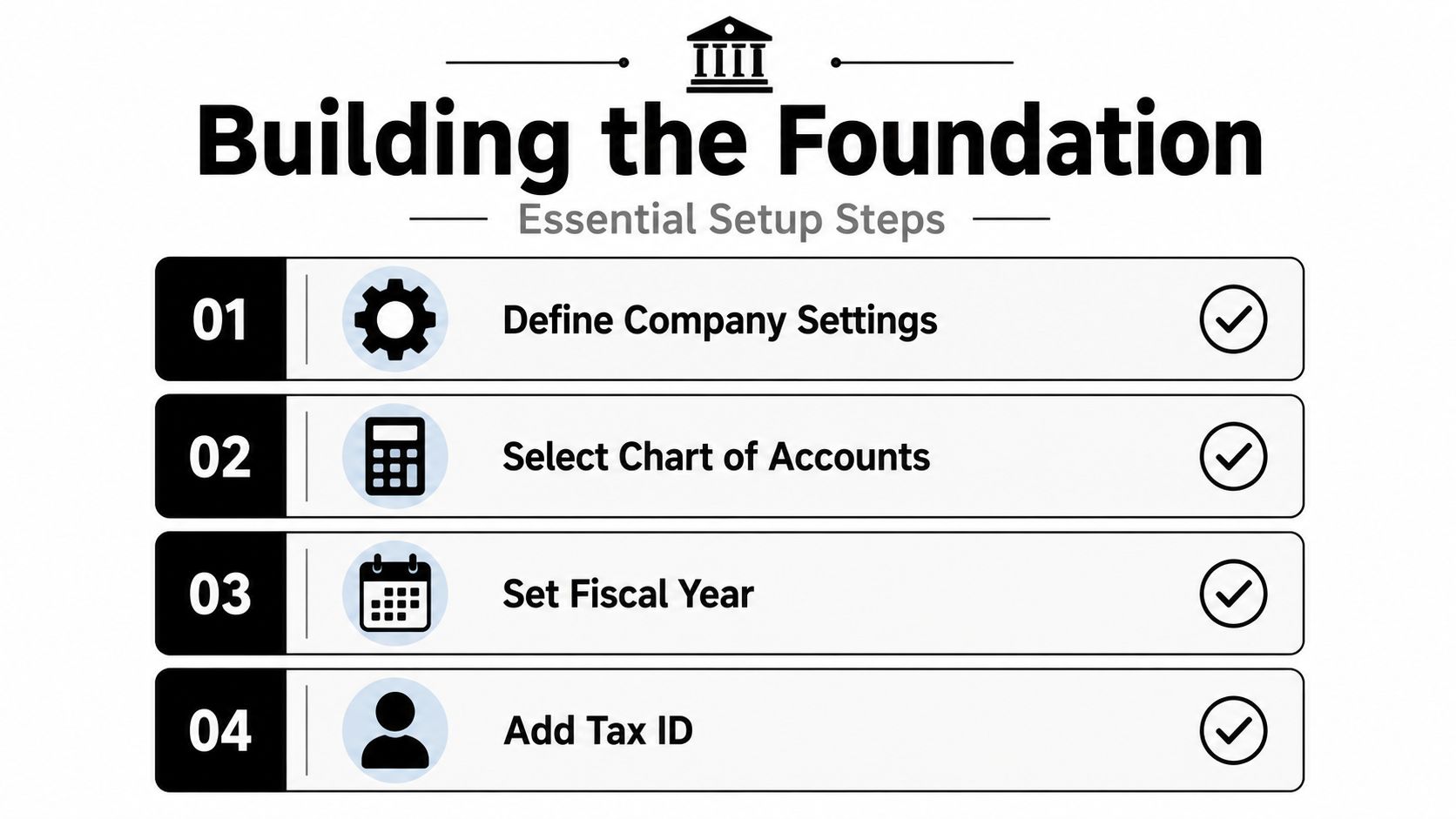
Intuit recommends defining company settings first, then connecting bank and credit card feeds, reviewing the chart of accounts, and only afterward importing historical data or enabling advanced features such as sales tax and payroll. That sequence is outlined in Intuit's QuickBooks Online setup guidance.
Start with the company profile
Enter the legal business name, address, industry, entity type, fiscal year, accounting method, and tax-related settings. These aren't cosmetic fields. They influence reports, filing workflows, user permissions, and how your accountant interprets the file.
Gather the source documents before you begin:
- Bank and credit card access: Confirm which accounts belong to the business and which should remain outside the file.
- Recent statements: Use them to establish opening balances and identify transactions that need controlled historical entry.
- Customer and vendor lists: Remove duplicates and standardize names before importing.
- Products and services: Build items around the way you invoice and measure revenue.
- Open invoices and bills: Record outstanding activity so accounts receivable and payable start from reality.
- Payroll information: Collect employee details, prior payroll history, and the records needed for a clean transition.
Build a chart of accounts that reflects the business
Don't accept a generic chart without review. A services firm may need revenue by service line, direct labor, subcontractors, and project-related costs. A construction company needs job-costing categories and project tracking. A nonprofit may need a structure that supports fund reporting and donor restrictions.
Use the chart of accounts setup resource as a reference, then adapt the structure to your entity and reporting needs. Too few accounts hide useful distinctions. Too many create a menu nobody can classify consistently. The right chart makes monthly reporting easier because the categories match actual decisions.
Establish opening balances before live activity
Historical data and opening balances need a controlled cutoff. Decide what date the QuickBooks file becomes the accounting record, confirm the bank and credit card balances on that date, and import only the historical transactions that support your reporting and tax requirements.
Keep bank feeds disconnected until this baseline is reviewed. If you import historical transactions and then connect a feed that reaches into the same period, the same activity can enter twice. That creates duplicate income, duplicate expenses, and reconciliation work that could have been avoided.
A clean beginning is cheaper than a clever cleanup.
Finish the initial configuration, verify the chart of accounts, review opening balances, and then activate advanced tools such as sales tax or payroll. This is also the point to define who can add accounts, approve bills, review transactions, and close reporting periods.
Mastering Bank Feeds and Payroll Integration
Connecting a bank account isn't reconciliation. It only gives QuickBooks Online a stream of activity to review. The common mistake is connecting every account at once and approving transactions faster than anyone can verify the accounting treatment.
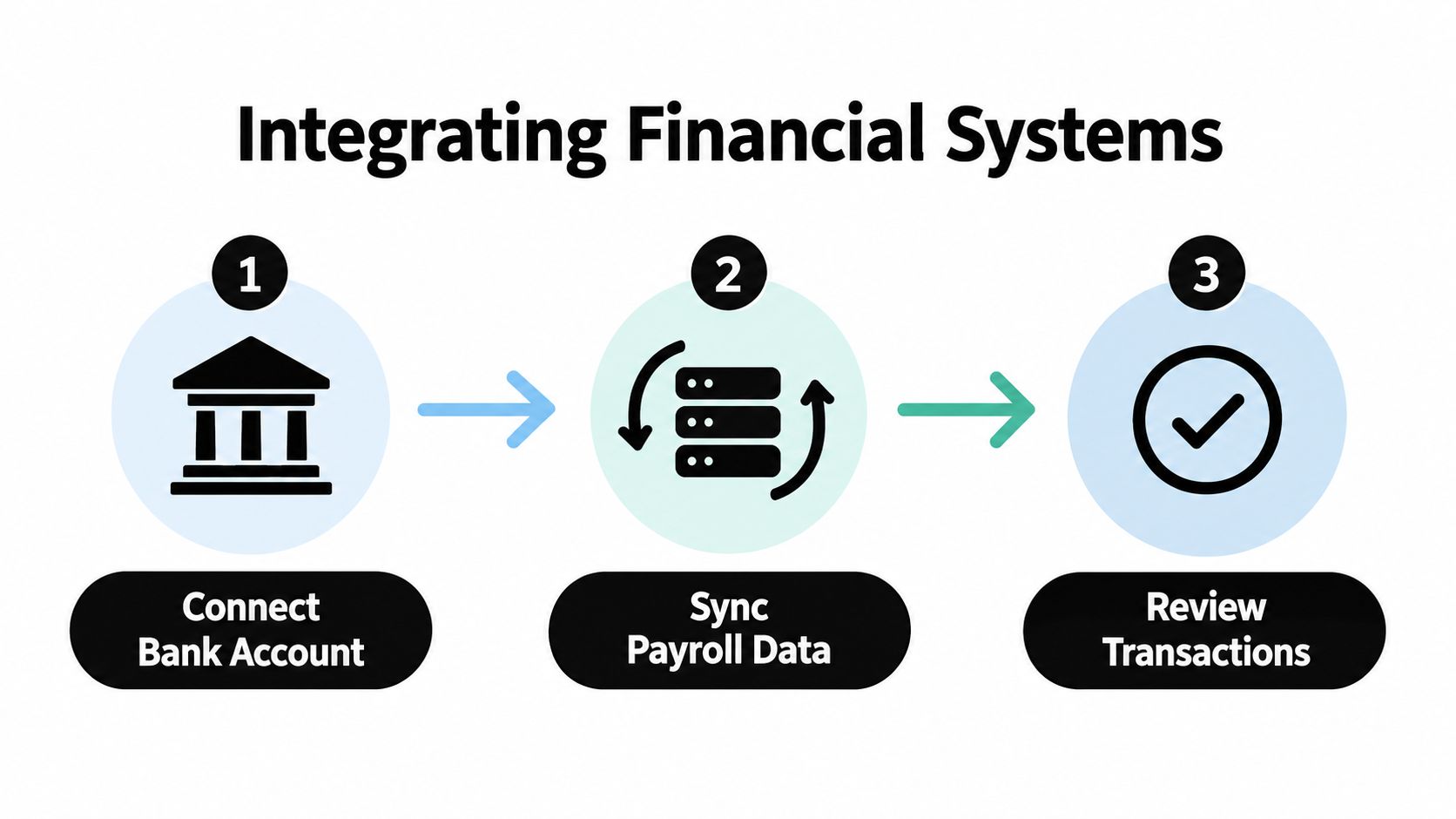
Intuit identifies duplicate transactions, growing uncategorized items, and incorrect opening balances as common first-time problems. Its recommended discipline is straightforward: connect one account at a time, complete onboarding before importing historical data, review transactions weekly, and verify tax-period and reporting-method settings. The risks are described in Intuit's guidance on getting started with QuickBooks Online.
Connect accounts in a controlled sequence
Begin with the primary operating account. Compare the feed's opening point with the statement and existing opening balance. Review the first group of downloaded transactions before connecting another account.
For each item, determine whether it should be:
- Matched: An existing invoice, bill, check, or payment already recorded in QuickBooks.
- Added: A new transaction that needs a category, payee, class, customer, or project.
- Excluded: Personal, duplicate, or irrelevant activity that doesn't belong in the business file.
- Investigated: A transaction whose purpose isn't clear from the bank description.
Create rules only after you understand recurring activity. A rule that automatically posts every payment from a vendor to one expense account can save time, but it can also misclassify mixed purchases. Review automated entries before relying on them.
Payroll requires complete source information
Payroll integration is not a plug-and-play shortcut. For payroll-enabled companies, Intuit requires the primary admin to enter the legal business address, payroll contact details, prior payroll history, and bank credentials. The business must then choose whether to import employee and pay history or enter it manually.
That setup should also preserve employee classifications and the correct mapping of wages, employer taxes, benefits, liabilities, and payments. Payroll errors don't stay confined to one screen. They affect the general ledger, cash, tax filings, employee records, and year-end reporting.
Use this payroll setup guide for small businesses to organize the implementation, but have a payroll professional review the mapping when the company has prior payroll, multiple states, unusual compensation, or a midyear conversion.
For businesses with extensive payables, a documented approval and matching process can complement QuickBooks. This explanation of deterministic AP workflows for auditors is useful when you need a repeatable audit trail for bills, approvals, and payment records.
Review the file every week
Weekly review catches drift while the transaction history is still manageable. Check uncategorized activity, duplicate-looking entries, transfers between accounts, outstanding checks, payroll postings, and the relationship between bank balances and the ledger.
A short weekly review is more reliable than a frantic cleanup before a quarterly meeting. Your bookkeeper should also document unusual transactions rather than silently forcing them into a familiar category.
Configuring the Platform for 2026 Tax Compliance
Tax configuration should reflect the law that applies to the business, not the defaults that appeared when the account was created. For 2026, the U.S. business-tax environment includes a permanent 20% Qualified Business Income deduction for eligible pass-through owners. The limitation phase-in rises to $75,000 for single filers and $150,000 for joint filers, according to Grant Thornton's 2026 individual tax planning guide.
QuickBooks Online doesn't calculate every eligibility question by itself. It must provide clean information to the tax preparer, including entity classification, business income, owner-pay records, and the supporting detail needed to evaluate pass-through treatment and limitation exposure.
Record owner activity with discipline
Owner draws, guaranteed payments, wages, capital contributions, and personal expenses shouldn't flow through the books as if they're ordinary operating costs. The correct treatment depends on the entity and the facts, so your CPA should establish the accounts and workflow before the first payment is posted.
Track business income throughout the year rather than waiting for a year-end total. Separate service lines, projects, and operating costs in a way that lets the tax team trace reported figures back to source transactions. If the business uses sales tax, configure the tax center and codes carefully. The QuickBooks sales tax setup guide can help organize the platform, but local filing obligations still require professional review.
Understand the 2026 QBI thresholds
The phase-in amounts are useful planning markers, not automatic entitlement tests. Filing status, taxable income, business type, wages, property, and other limitations can affect the final deduction.
| Filing status | 2026 phase-in threshold |
|---|---|
| Single filers | $75,000 |
| Joint filers | $150,000 |
Keep the supporting records in a form your tax preparer can analyze. A clean profit and loss statement is necessary, but it isn't the entire tax analysis.
Separate tips and overtime reporting
The 2026 update also creates new employer reporting mechanics. Qualified tips and overtime compensation must be separately reported to workers on Form W-2 or Form 1099-NEC, as applicable, as described in the Grant Thornton guidance cited above.
That requirement makes payroll mapping more important. Configure separate payroll earnings or tracking categories where appropriate, confirm how the payroll system exports the information, and review year-to-date reports before forms are issued. Don't wait until year-end to discover that tips or overtime were merged into a general wage category.
Compliance is a process, not a setting. Your business needs a documented review of entity records, owner pay, sales tax, payroll classifications, and year-round income tracking. Most owners don't know every requirement, and the right response isn't guesswork. It's qualified guidance.
Why Clean Books Require a Fractional CFO
QuickBooks Online can tell you what happened. It doesn't decide what should happen next.
That distinction matters as a company grows. A clean profit and loss statement may show that revenue increased, but management still needs to understand whether cash collections kept pace, whether a service line earns enough margin, whether payroll is affordable, and whether a tax payment will disrupt operations.
Software records, leadership interprets
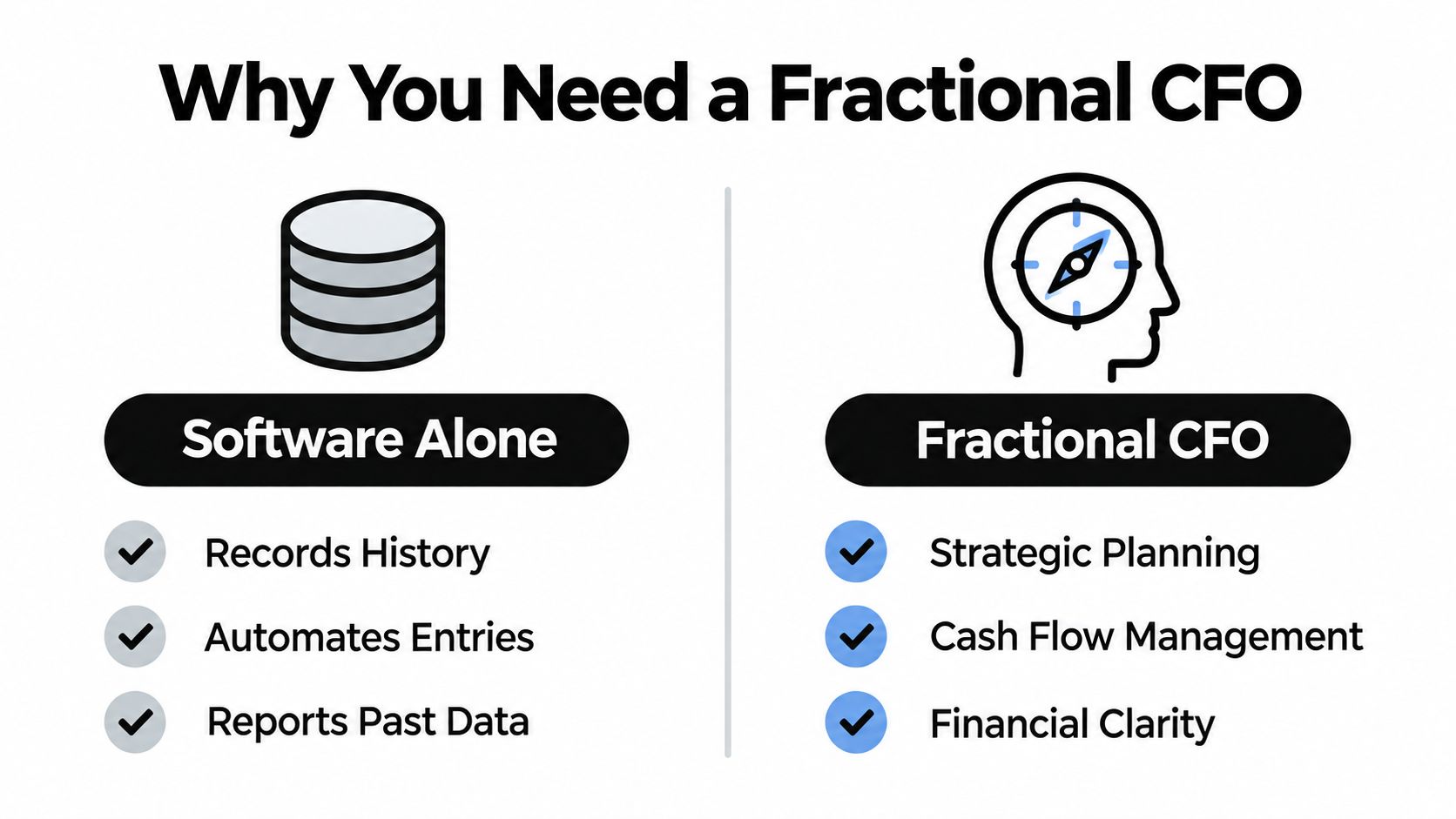
Software alone can:
- Store history: Preserve invoices, bills, payments, payroll postings, and reconciliations.
- Automate entries: Import bank activity and apply configured transaction rules.
- Report past data: Produce statements based on the classifications users entered.
A fractional CFO works at a different level. The role is a senior finance leader who supports a company on a part-time, contract, or project basis, providing strategic guidance without a full-time CFO hire. That definition is consistent with Burkland Associates' overview of fractional CFO services.
The missing layer is decision support
A fractional CFO turns accounting output into an operating rhythm. That can include cash-flow forecasting, budget monitoring, pricing analysis, financing preparation, working-capital review, and management reporting. The CFO also challenges the quality of the underlying data instead of accepting a polished report at face value.
For example, a business may report profit while cash remains tight because customers pay slowly, inventory consumes funds, or debt payments sit outside the owner's planning model. The CFO identifies the cause, sets a monitoring process, and gives the owner a decision before the problem becomes a crisis.
The same role becomes especially valuable when tax rules change. For 2026, owners need clean entity classification, owner-pay records, income tracking, and payroll reporting. A fractional CFO can coordinate with the bookkeeper and CPA so the records support both compliance and planning.
Software answers “what happened?” A fractional CFO helps answer “what should we do now?”
Every growing company needs financial guidance
Not every business needs a full-time CFO. Every growing company does need someone accountable for interpreting the numbers and guiding the business. That person may be an owner with strong financial training, an internal finance leader, or a fractional CFO.
The mistake is assuming that bookkeeping completion equals financial management. It doesn't. Bookkeeping produces the foundation. CFO oversight makes the foundation useful for hiring, investment, pricing, tax planning, and cash preservation.
Partnering with Certified ProAdvisors for Long-Term Growth
A QuickBooks Online setup is never finished when the account is created. The file needs ongoing categorization, reconciliations, payroll review, accounts receivable monitoring, account maintenance, and periodic changes as the business adds services, employees, locations, or legal entities.
A healthcare practice may need its reporting organized around providers, departments, and payroll. A construction company needs job-costing discipline and clean labor allocation. A retailer needs consistent treatment of sales, inventory, merchant deposits, and sales tax. A nonprofit needs records that support compliant reporting and restricted-fund accountability.
Professional support prevents small errors from becoming financial noise
Certified QuickBooks ProAdvisors can set up, organize, clean up, and maintain QuickBooks accounts. They can also document the workflow so the owner and staff know which transactions require review, which accounts are restricted, and when a transaction should be escalated to a CPA or tax advisor.
Bookkeeping and Accounting of Florida Inc. is a Jacksonville-based, full-service CPA firm supporting healthcare, construction, retail, nonprofits, and other businesses across Northeast Florida. Its services include bookkeeping and accounting, payroll, tax preparation, audits, reviews, healthcare accounting, forensic audits, QuickBooks Online support, and fractional CFO services.
The firm's role should be practical, not ornamental. It can establish a chart of accounts, clean up historical activity, configure payroll and sales tax workflows, reconcile accounts, produce useful reports, and help management understand what the numbers mean. A fractional CFO can then use that reliable information for cash-flow management, planning, and corrective action.
Maintain the system after implementation
Assign responsibility for weekly bank-feed review and monthly reconciliation. Review uncategorized transactions, open invoices, bills, payroll liabilities, and unusual owner activity. Close periods after the reports are reviewed so later changes don't alter decisions already made.
Ask for help before the file becomes unmanageable if you have unexplained opening balances, duplicate feeds, commingled personal and business activity, prior payroll, multiple entities, project accounting, or tax reporting concerns. Professional intervention is cheaper when the source records are still available and the transaction history hasn't been repeatedly edited.
Bookkeeping and Accounting of Florida Inc. provides QuickBooks Online setup, cleanup, bookkeeping, payroll, tax, and fractional CFO support for growing businesses in Jacksonville and Northeast Florida. Visit Bookkeeping and Accounting of Florida Inc. to schedule a consultation and build a financial system that supports accurate reporting, 2026 compliance, and better business decisions.